

The honest answer is that no verified study gives a universal best hour for Google Business Profile (GBP) posts, and any article that hands you a clean table of “Tuesday 8 to 10 AM” is guessing. What you can do is publish on a steady rhythm, schedule posts for the hours your own customers search, and use your profile’s Performance data to confirm what works. For a contractor in Rhode Island or Massachusetts, the posting time matters less than whether the profile behind the post is complete, answered and ready to turn a view into a call. We build that whole system for trades, and this guide shows how to set the timing part up.
TL;DR
- There is no proven best day or hour for GBP posts. Treat any fixed “best time” list as a starting hypothesis, not a rule.
- Post on a schedule you can keep: about once a week is a sensible rhythm for most contractors, and you can use Google’s built-in scheduler to publish at set times.
- Pick test windows from how your customers behave: early morning for homeowners checking before work, evening for planning, and the hours your phone rings most.
- A late-night post (10 p.m.) is not penalized by anything Google has published. Schedule it for a better hour anyway.
- Tag each post link and compare results after 60 to 90 days. Your own data beats any generic chart.
Table of Contents
- What a GBP post is and why timing works differently here
- What the evidence says about the best day and hour
- How often to post: a rhythm you can actually keep
- Choosing your test windows by trade
- Is posting at 10 p.m. bad?
- How to find your own best time in 60 to 90 days
- What turns a post view into a booked job
- Post content that earns the click
- Our view
- Put posting on a schedule that runs itself
- FAQ
- Sources
What a GBP post is and why timing works differently here
A Google Business Profile post is a short update that appears on your profile in Google Search and Maps. Google’s own help page says you can publish three types: Update, Offer and Event. You can also turn on “Schedule this post” to publish at a later date and time, and set posts to repeat weekly, monthly or on a custom schedule.
That one fact changes how you think about timing. On Facebook or Instagram, a post goes into a feed and is seen mostly in the first hours, so the minute you publish decides almost everything. A GBP post doesn’t live in a feed. It sits on your profile and is seen by people who already searched for something like “emergency plumber Warwick” or “roof repair Worcester” and then opened your listing. The person who sees your post on Thursday could be looking at a post you published the Friday before.
So the publish time is not a race for attention. It matters for two narrower reasons:
- Freshness. Your newest post is what a visitor sees first. If it says “Spring tune-up special” in November, you look inactive.
- Relevance to the moment. A post about frozen pipes or storm damage works best when it is live while the problem is happening.
That is the right frame for the rest of this article: timing is about keeping what customers see current, not about beating an algorithm clock.
What the evidence says about the best day and hour
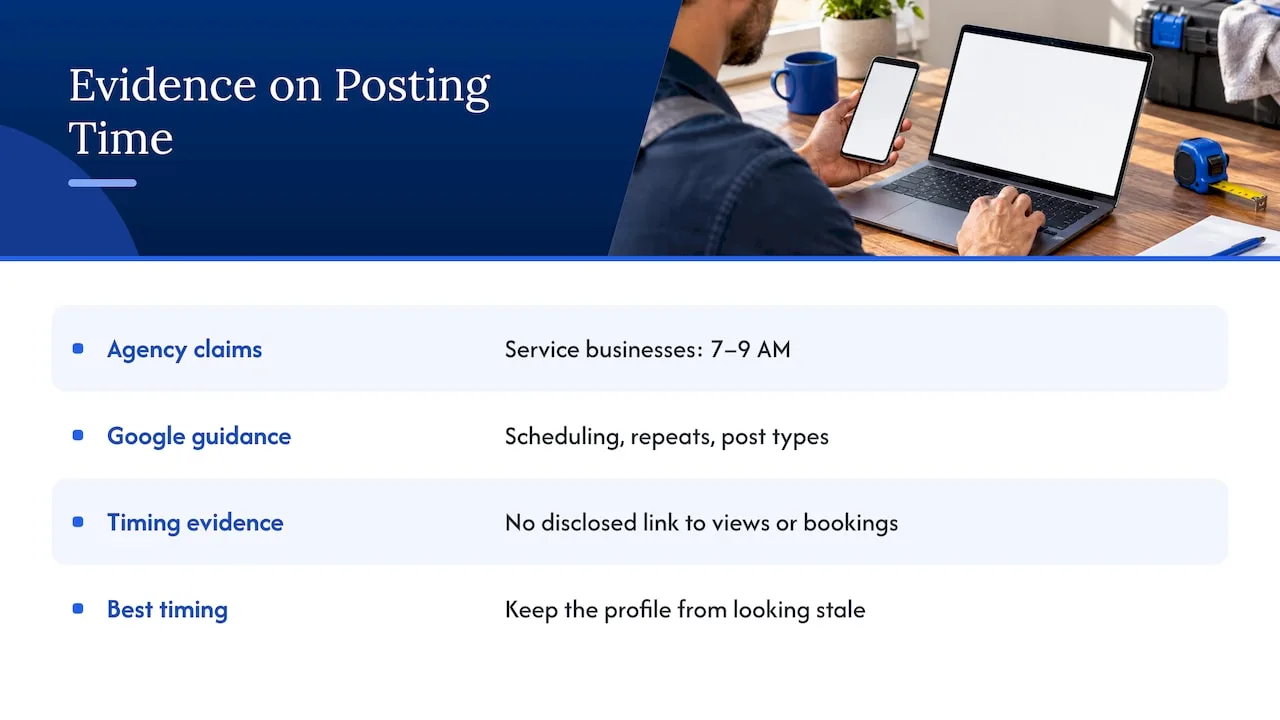
Search for this topic and you will find confident windows: early mornings of 7 to 9 AM for service businesses, evenings for restaurants and retail, a particular day of the week for engagement. These come from agency blogs and social media tools. They rarely show their data, they often borrow numbers from Facebook or Instagram studies, and they are not published by Google.
What Google publishes is the mechanism (scheduling, repeating posts, post types) and not a recommended hour. We could not find a Google statement, or an independent study with a disclosed method, linking the clock time of a GBP post to more views, calls or bookings. That is not a reason to stop posting. It is a reason to treat timing as something you measure rather than copy.
Two things are worth knowing about how weight is spread. First, Google’s local ranking guidance centers on a verified, complete profile, accurate information, review responses and photos. Second, in March 2026 Google launched Ask Maps in the US, where Gemini answers customer questions from what Maps knows about a place, including reviews. Both point the same way: the more complete and current your profile is, the more material Google and the customer have to work with. A post is one piece of that, and the best time to publish it is whenever it keeps the profile from looking stale.
If you want the foundation first, our guide on GBP profile completeness for contractors walks through the fields that matter before you invest effort in a posting calendar.
How often to post: a rhythm you can actually keep
Frequency advice varies widely across the sites that rank for this keyword: every five days, once a week, two or three times a week. The common thread is consistency over volume. For a contractor running trucks all day, once a week is realistic. If weekly is unrealistic in a busy stretch, every two weeks beats a burst of five posts followed by three months of silence.
A practical rule: choose the cadence you can hold through your busiest month, not your calmest one. Then use the scheduler to protect it.
A simple weekly pattern
| Week | Post type | Example for a plumber | Example for a roofer |
|---|---|---|---|
| 1 | Update with photo | Completed water heater swap, town name, one sentence on the fix | Finished asphalt shingle replacement, before and after |
| 2 | Update, seasonal | Pipe freeze prevention checklist | Ice dam warning ahead of a nor’easter |
| 3 | Update with photo | Drain camera inspection result | Flashing repair on a chimney |
| 4 | Offer or Event | A real, dated offer such as a spring inspection | Free roof inspection window |
Keep offers for real deals, and publish events a couple of weeks ahead so people can plan. Posting an offer that is always on makes the page look like filler.
Choosing your test windows by trade
Because no source can tell you your best hour, build your test windows from your own customers. Here is how the trades tend to differ in the way customers decide, which is reasoning rather than a measured result:
- Plumbing and HVAC (urgent repair). Searches spike when something breaks: a morning with no hot water, a heating failure on a cold night. Test an early-morning slot, such as 6 to 8 AM, when people discover the problem, and an evening slot when they come home to it. If you offer after-hours service, a post that says so and is live in the evening supports that.
- Roofing (research then decide). Homeowners compare for days. Weekend mornings and weekday evenings are reasonable windows to test, because that is when people sit down to compare quotes. Time storm-related posts to the day after weather hits.
- Electrical (mix of urgent and planned). Urgent searches follow outages and tripped breakers. Planned work like panel upgrades and EV charger installs is researched in the evening. Test one of each.
- Landscaping (seasonal). Timing by season matters far more than by hour. Schedule cleanup, mulching and snow plowing posts a few weeks before the season starts.
Customers’ local time is the same for nearly all Rhode Island and Massachusetts contractors (Eastern Time), so the time zone is not a complication for a local service area. Check your profile’s scheduler time against Eastern before you save a post.
Is posting at 10 p.m. bad?
Nothing Google has published says a late-night GBP post is penalized or ranked lower. The more practical concern is who will see it. A post at 10 p.m. will not be read at 10 p.m. by most homeowners, but it will still be on your profile the next morning, which is when many people look. The bigger risk is posting from your phone at the end of a long job day, when the caption is rushed and the photo is poor.
The better habit: write the post when you have the photo and the details, then use “Schedule this post” to release it at a time you have chosen to test. That separates the writing time, which suits you, from the publishing time, which suits the customer.
How to find your own best time in 60 to 90 days
This is the part that replaces guessing. You need no special software, only discipline.
Step 1: Fix everything else for a stretch
If you change your categories, photos and posting time at once, you will not know what moved the numbers. Keep the rest of the profile steady during the test. If you are still choosing categories, run that test first with our 60 to 90 day category test.
Step 2: Tag the link in every post
Add a button to each post that points to your website with a UTM tag, which is a short label added to a web address so analytics shows where a visit came from. Use a different label per time slot, for example “gbp-morning” and “gbp-evening”. Without it, a visit from a post blends into the rest of your profile traffic.
Step 3: Alternate slots
Post in the morning slot one week and the evening slot the next, keeping the type of post similar (a project photo with a one-line description and a call button). Four to six posts per slot gives you something to compare. Photo-led posts with a clear button are easy to keep consistent.
Step 4: Track what matters to a contractor
In your profile’s Performance data, look at calls, direction requests and website clicks around each post, and compare against your own call log. Page views are a weak measure. A booked job is the measure that pays. Note the time of each booking request and which slot preceded it.
Step 5: Decide, then re-test each season
If one slot clearly produces more calls, keep it and move the other slot to a new hypothesis. Heating season and summer cooling season behave differently, so re-test when the season turns.
This is also the place where reading numbers gets hard for a busy owner: matching calls to posts, UTM tags and Google’s data. Our Local SEO and Google Business Profile service is built to take that work off a contractor’s plate.
What turns a post view into a booked job
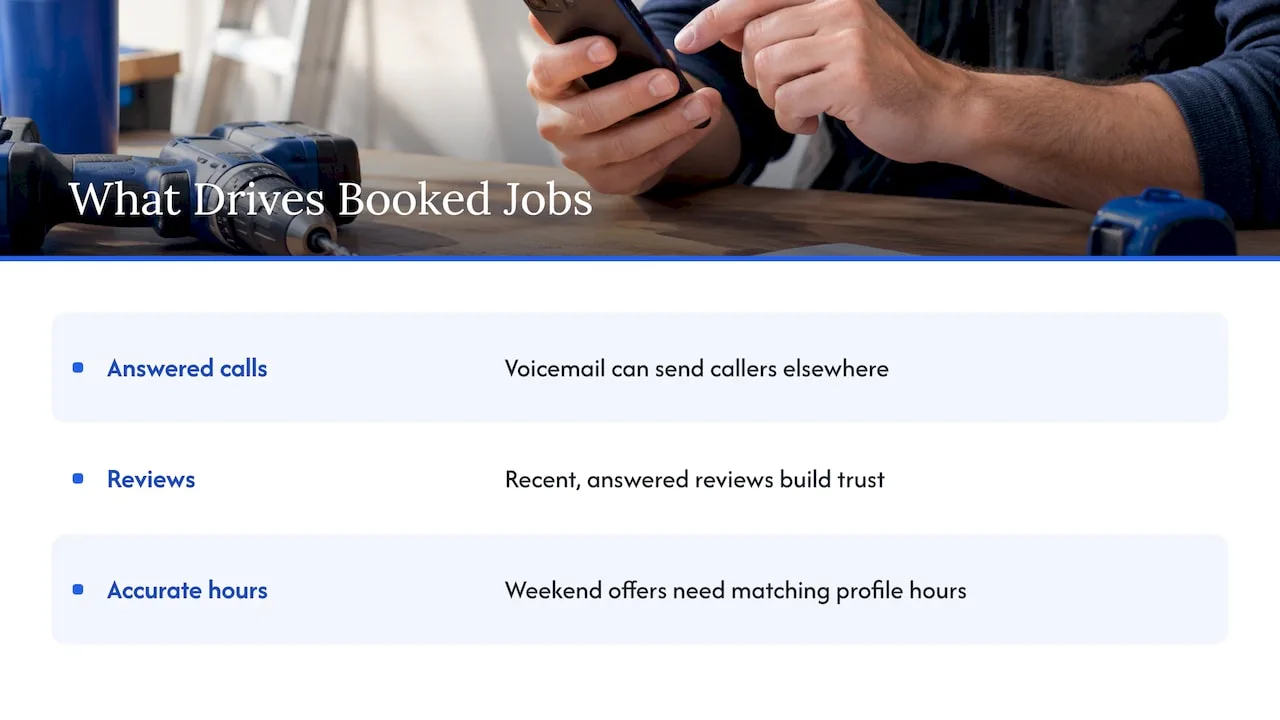
A well-timed post still fails if the customer taps your number and nobody answers. Three things sit behind every post, and they decide the result more than the clock does.
Answered calls. A caller who reaches voicemail often moves to the next listing. Our missed-call text-back and CRM and AI voice agent handle inbound calls around the clock, so a call that comes from a post at 9 p.m. is not lost. Our guide on keeping night leads with after-hours answering shows the six steps.
Reviews. The same visitor who reads your post reads your reviews. A steady flow of recent, answered reviews makes the post more believable. Our automated review requests guide covers how to ask at the right moment in the job. If an unfair or retaliatory rating is dragging the profile down, Google review removal for businesses is one route to look into.
Accurate hours. A post promising weekend service means little if the profile lists you as closed. Before a holiday weekend, set special hours, as covered in our holiday hours guide for contractors.
Post content that earns the click
Timing gets a post seen. Content gets it acted on. A few habits suit contractors:
- Use a real job photo. A before and after from a local job, with the town named, says more than a stock image.
- Write one plain sentence. What you did, where, and what it solved. “Replaced a failed sump pump in Cranston before the storm” beats a paragraph of marketing language.
- Add one button. Call now, Book or Learn more, matched to the post. One clear action.
- Match the season. Furnace tune-ups in early fall, gutter and roof checks after storms, irrigation startup in spring.
- Avoid phone numbers and promo clutter in the text. Let the button do that job.
We cover trade-specific examples in our guides for plumbers and HVAC contractors, and landscapers have their own seasonal pattern.
Our view
We would rather tell a contractor to stop hunting for a magic posting hour and spend that energy on the profile as a whole system.
A post is a small piece of a bigger job. A homeowner finds you, reads your latest update, checks your reviews, and calls. If the call is answered and the review count looks healthy, the exact minute of the post barely matters. If the call goes to voicemail, no posting time can save it.
That is why our work for contractors in Rhode Island and Massachusetts puts local SEO, Google Business Profile optimization, 24/7 call handling, automated review requests and websites built to book jobs together. Each part makes the others pay off, and our team knows the towns and trades we serve.
Pick a rhythm, schedule it, tag it, and let a couple of months of your own data answer the timing question.
Tyson
Put posting on a schedule that runs itself
If you would rather not write, schedule and measure posts between jobs, we handle Google Business Profile optimization as part of our local SEO work for plumbing, HVAC, electrical, roofing and landscaping businesses in Rhode Island and Massachusetts. Plans start with Foundation at $597 per month, with Growth at $1,297 per month and Scale at $2,497 per month. See what each includes on our pricing page or start with the Local SEO and Google Business Profile service.
FAQ
What is the best time to post on Google Business Profile?
There is no verified universal best time. Google publishes the scheduling tools but not a recommended hour. For contractors, a sensible way to start is to test an early-morning slot and an evening slot, tag the links, and compare calls and bookings over 60 to 90 days.
How often should a contractor post on Google Business Profile?
About once a week suits most contractors, or every two weeks if weekly is not realistic. Consistency matters more than volume. Use Google’s repeat and schedule options so a busy week does not leave your newest post months old.
Is posting at 10 p.m. bad for a GBP post?
No Google source says late-night posts are penalized. Most customers will see the post the next day anyway, so a 10 p.m. post is not harmful, just not ideal. Write it whenever you have the photo and details, then schedule it for the slot you are testing.
Is the best time to post on a Facebook business page the same as for GBP?
No. Facebook posts move through a feed and are seen mostly soon after publishing. A GBP post sits on your profile and is seen by people who already searched for your service, so freshness and relevance matter more than the exact hour.
Can I schedule Google Business Profile posts in advance?
Yes. Google’s help page says you can turn on “Schedule this post” to publish at a later date and time, and set posts to repeat weekly, monthly or on a custom schedule. That lets you batch a month of posts in one sitting.
Sources
- Create and manage posts on your Business Profile, Google Business Profile Help
- How to post on Google Business Profile, and what replaced Q&A, Merchant Context
- Google review removal for businesses, RatingRescue