
Use service area pages only when you genuinely serve the places you list, and follow one rule above all else: make every page uniquely useful to the humans reading it, not just a city name swapped into a template. Get that right and service area pages seo becomes one of the more reliable ways to extend local visibility. Get it wrong and you risk the exact penalty Google built its spam policies to catch. The rest of this guide covers definitions, decision rules, technical setup, and how to measure whether your pages are actually working.
TL;DR:
- Creating unique, locally detailed content for each service area page ensures it provides genuine value and avoids classification as a doorway page.
- Only build a dedicated page for towns where you have sufficient call volume or distinct demand, consolidating low-traffic areas into larger hub pages if necessary.
- Ensure your website’s structure links all service area pages through a clear hierarchy, and include each in your sitemap with proper canonical tags to enhance search engine crawlability.
- Match your website’s service areas with your Google Business Profile to prevent discrepancies that could harm local authority signals.
- Use structured data like LocalBusiness schema strategically on well-developed pages, including accurate contact, hours, and geographic information to improve local search interpretation.
Table of Contents
- What service area pages are and who should use them
- Service area pages vs. location pages: decision checklist
- Why SAPs matter for local SEO and conversions
- Practical best practices for building SAPs that rank and convert
- Site architecture and internal linking for SAPs
- Technical and structured data checklist
- How to measure SAP performance and run small tests
- Practitioner evidence: Coastal Connect approach and proof points
- When to DIY SAPs vs hire an agency
- Coastal Connect services: direct help for building high-converting SAPs
- Sources
- FAQ
What service area pages are and who should use them
A service area page, often shortened to SAP, is a page built to show that a business serves a specific town, neighborhood, or region, even though the business has no public storefront there. It differs from a location page, which represents an actual staffed address customers can visit. SAPs exist because plumbers, electricians, HVAC techs, roofers, and landscapers work at the customer’s property, not their own, so a directory of city pages replaces a directory of branch addresses.
They fit two business models well:
- Service-area businesses: no public office, technicians travel to the customer, coverage defined by Google Business Profile’s service area settings.
- Hybrid businesses: a real office or showroom that also dispatches crews to surrounding towns, needing both a location page and a set of SAPs.
- Multi-branch operators: several offices, each anchoring its own cluster of nearby service area pages.
What SAPs can realistically do is narrow a search query like “water heater repair Cranston” to a page that speaks directly to that town, its housing stock, and its common jobs. That sharpens relevance signals and gives searchers a reason to call instead of scrolling past. What they cannot do is manufacture local credibility out of nothing. A page with a city name in the title and otherwise identical text to twenty other pages on the same site reads as thin to both readers and Google’s quality systems for spam, and it will not outperform a single well-built service page in most cases.
Service area pages vs. location pages: decision checklist
Before building anything, work through this order:
- Check whether the address should be public. If customers never visit your premises, Google Business Profile guidance says to hide the storefront address and define your coverage by city or postal code instead, up to 20 areas.
- Confirm staffing and signage. A location with a sign, posted hours, and walk-in customers needs a location page. A dispatch office with no public visits needs a service area listing only.
- Decide how visits actually happen. If a technician drives to every job, the page should describe the service delivered at the customer’s property, not a facility tour.
- Map your real coverage, not your wish list. List only towns you can staff within a reasonable response time; padding the list invites duplicate, low-value pages.
- Handle multi-location and hybrid setups separately. Each staffed office gets its own location page; the towns it serves without a storefront get grouped or individual SAPs linked from that office’s hub.
- Match the GBP listing to the website. The service areas set in your Google Business Profile and the pages on your site should describe the same footprint, not overlapping but different lists.
Get this checklist wrong and you end up either hiding a real address that should build trust, or publishing a page for a town where you have never actually completed a job.
Why SAPs matter for local SEO and conversions
A well-built SAP does two jobs at once. First, it reinforces the service area you already set in Google Business Profile, giving Google a second, consistent signal about where you operate. Second, it gives a human searcher enough specific detail to trust you with a job at their address, not just a job in their zip code.
The signals that actually move the needle are concrete, not decorative:
- A local example or mini case study: a real job type common in that town (older homes needing panel upgrades, coastal properties needing corrosion-resistant fixtures).
- A testimonial tied to that area, when one genuinely exists, rather than a generic quote reused across every page.
- Clear availability and response information: same-day service, emergency coverage, or typical scheduling windows for that region.
- A visible way to act: a phone number, a short form, or a chat option placed above the fold.
Google’s spam policies name doorway pages, substantially similar pages built primarily to capture search traffic, as a practice that can trigger ranking adjustments. That single line is the entire risk calculus behind every recommendation in this article: build for the searcher first, and the ranking benefit follows rather than leads.
Practical best practices for building SAPs that rank and convert
The line between a useful SAP and a doorway page comes down to whether a resident of that town would find something on the page they could not find on a neighboring town’s page. Search Engine Land’s guidance on service area pages puts it plainly: the pages that hold up are the ones with unique local content, not city-name swaps on an otherwise identical template.
Build each page around content that cannot be copy-pasted:
- A short case study: a job you completed in that town, described specifically enough that it could not apply anywhere else.
- A neighborhood FAQ: questions tied to that area’s housing stock, climate exposure, or permitting quirks.
- A local testimonial, used only when it is real and tied to that location.
- Operational specifics: typical drive time, crew availability, or seasonal demand patterns for that region.
Three content rules keep pages out of doorway territory. Use the city name naturally, in the headline and a couple of body mentions, never stuffed into every sentence. Include at least one detail that required firsthand knowledge of the area to write. Avoid a rigid template where only the proper noun changes between pages; even strong local content reads as thin when the surrounding paragraphs are identical everywhere.
Pro Tip: Write the first draft of each SAP as if it were the only page on your site, then check whether it still stands out once you compare it against your other ten.
Publishing strategy matters as much as content quality. If you serve dozens of small neighborhoods within one metro area, BrightLocal’s service area page guidance recommends grouping nearby neighborhoods into a single page or building a hub page with anchored sections for each, rather than spinning up a separate near-duplicate page for every zip code. Reserve standalone pages for towns with enough call volume, distinct demand, or distinct content to justify one. Set a review point, quarterly is reasonable, and merge or retire any page that has drawn negligible traffic and no phone calls after that window.
Site architecture and internal linking for SAPs
A SAP that no page links to, and that no crawler can reach through a normal HTML path, will struggle to rank no matter how well it is written. The fix is a browseable hierarchy, not a buried folder.
- Build a clear hub structure: service hubs (plumbing, HVAC, roofing) link down to individual service pages, which link out to the SAPs or grouped area pages relevant to that service.
- Avoid island pages. Search Engine Land notes that a browseable hierarchy exposing SAPs through an HTML sitemap or service hub, instead of hiding them behind a JavaScript-only store locator, materially improves indexation and keeps pages from being treated as isolated.
- List every SAP in your XML sitemap and set self-referencing canonical tags on each one so search engines never mistake a grouped page for a duplicate of another.
- Link outward where it makes sense: from your Google Business Profile posts, from directory listings, and from any location page that shares a service area with a given SAP.
The goal is a site where a visitor, or a crawler, can move from your homepage to a service to a specific town in two or three clicks, using ordinary links rather than a dropdown menu or a map widget that hides the underlying pages.
Technical and structured data checklist
Structured data will not rescue a thin page, but it does help a well-built one get interpreted correctly. Schema is the base vocabulary most SAPs should use, often narrowed to a more specific subtype for the trade involved.
Include these fields where they apply, and skip the ones that do not:
- Business name, phone number, and service area (areaServed), matched exactly to what appears in Google Business Profile.
- Opening hours or availability, especially for trades offering emergency service.
- Geo coordinates or a service radius, when the business genuinely covers a defined area rather than a single point.
- Review or rating markup, only when the underlying reviews are real and verifiable.
A common pitfall is copying the exact same LocalBusiness block onto every SAP with only the areaServed value changed, which reinforces the template problem rather than solving it.
Performance and crawl budget become real concerns once a site carries dozens of SAPs.
| Technical factor | Recommendation |
|---|---|
| URL pattern | Consistent structure such as /service/city, not mixed formats across pages |
| Canonicalization | Self-referencing canonical on every unique SAP, no cross-page canonicals |
| Mobile load time | Compressed images and minimal render-blocking scripts, checked per page |
| Sitemap inclusion | Every published SAP listed, retired pages removed promptly |
Development-led agencies that build these hierarchies from scratch, such as the process SetWorks documents in its studio approach, tend to treat URL structure and canonical rules as decisions made before content is written, not patched in afterward.
How to measure SAP performance and run small tests
Treat each SAP as a small experiment with its own scoreboard, not a permanent fixture. Track a short list of numbers in Google Search Console and Google Analytics 4:
- Impressions and queries for that specific URL in Search Console, to see whether it is being shown for relevant local searches.
- Clicks and average position, watched over a defined window rather than day to day.
- Phone calls and form submissions attributed to that page, set up as GA4 conversion events.
- Rank tracking for the town-specific terms the page targets.
Run two simple experiments before committing long term. Refresh a thin page with genuine local detail and compare its call volume for 60 to 90 days against its prior baseline. Or consolidate several low-traffic neighboring pages into one grouped page and watch whether combined performance holds steady or improves. If a SAP shows negligible impressions, no clicks, and no calls after a full test period, merge it into a broader area page or remove it rather than letting it sit as dead weight on the site.
Practitioner evidence: Coastal Connect approach and proof points
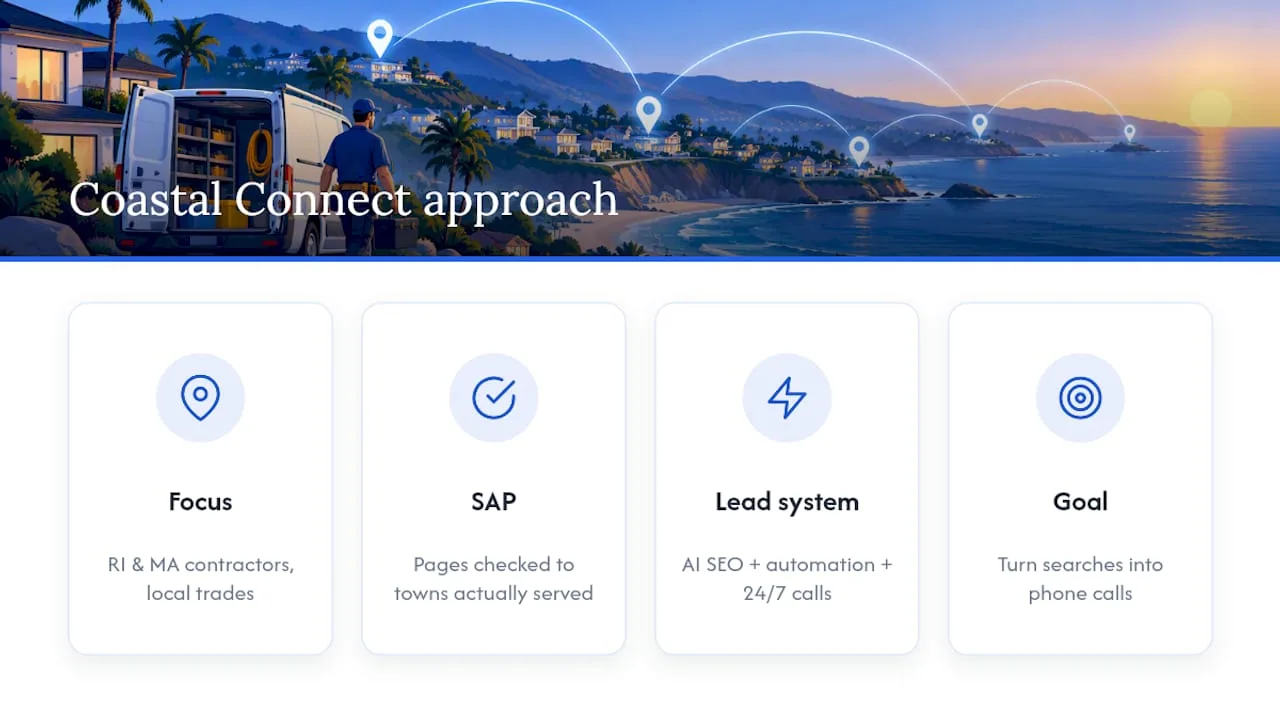
A specialized agency designs high-converting websites and automation systems for contractors in Rhode Island and Massachusetts, working in trades including plumbing, HVAC, electrical, and roofing. That focus means every service area page it builds is checked against the same standard covered above: does it reflect a town the contractor actually serves, and does it give that town’s residents something specific enough to act on.
The company pairs SAP structure with AI-powered SEO, automated follow-up sequences, and 24/7 inbound call handling, so a page that ranks also has a system behind it to capture the lead it generates.
A local service page only earns its place on the site if it turns a search into a phone call, not just a search into an impression.
— Tyson
When to DIY SAPs vs hire an agency
A single owner covering five or six towns with time to write honestly can build SAPs directly, especially if call volume is currently the bottleneck rather than page count. Once coverage stretches past a dozen towns, or content upkeep starts competing with running jobs, the math shifts toward hiring help. Consolidation into grouped hub pages is usually the right call for low-density coverage areas; custom, standalone pages pay back fastest for towns with real call volume and distinct local detail worth writing. Certain local SEO and website services are built around that threshold decision for contractors in the relevant service areas.
Coastal Connect services: direct help for building high-converting SAPs
If writing and maintaining a dozen unique, locally accurate pages sounds like more upkeep than your schedule allows, Some agencies build and maintain that system for contractors in regional areas, so the pages stay current without consuming your time.
- Websites that book jobs: conversion-focused site design built around SAPs and lead capture, not just a template with your logo swapped in.
- Local SEO & Google Business Profile: alignment between your GBP service areas and your site, tracked over time.
- Missed-call text-back & CRM and AI voice agent coverage, so a call from a new town never goes unanswered.
- Reviews that keep coming, feeding real local testimonials back into the pages that need them.
See current packages, including Foundation, Growth, and Scale, on the Coastal Connect pricing page.
Sources
- Spam Policies for Google Web Search | Google Search Central
- Manage your service areas for service-area & hybrid businesses - Google Business Profile Help
- Service area pages: Boost local SEO across locations — Search Engine Land
- How to Do Service Area Page SEO for Local Search Visibility — BrightLocal
- Schema
FAQ
What are service area pages?
Service area pages are website pages built to show that a business serves a specific town or region without maintaining a public storefront there. They typically pair local content, like case studies or testimonials, with a link back to the relevant service page and should match the coverage set in Google Business Profile.
Is SEO dead or evolving in 2026?
SEO is not dead, it has shifted toward rewarding pages built primarily to help a specific searcher rather than to capture traffic. Google’s own guidance on helpful, people-first content frames this directly: pages built for people hold up, pages built mainly for rankings do not.
How to optimize service pages for SEO?
Give each page a genuine reason to exist: a real local detail, a specific job example, and a clear way to contact the business. Link the page from a relevant service hub, list it in your XML sitemap, and add LocalBusiness structured data with accurate service area and contact fields.
What is the 80/20 rule in SEO?
There is no single Google-defined rule for SEO; the phrase is generally used informally to suggest that a small share of pages or actions drive most of the results. For service area pages specifically, that idea shows up as advice to concentrate effort on the towns with real call volume rather than spreading thin content across every zip code in range.
Do service area pages risk a doorway page penalty?
They can, if the pages are substantially similar to one another and built mainly to capture search traffic rather than help a specific local searcher. Google’s spam policies name this pattern directly, so unique local content and honest coverage claims are the main safeguard.