Most plumbing websites lose jobs in the same few places. The phone number is hard to tap on a phone. The page doesn’t say which towns you serve. The site looks abandoned. There are no recent reviews. And nobody answers when a visitor does try to reach you. Fix those five and you will usually book more of the traffic you already have, before you spend a dollar on new marketing.
This guide walks through each mistake the way a homeowner with a leaking water heater experiences it, then gives you the fix. It is written for plumbing owners in Rhode Island and Massachusetts, but the logic holds anywhere people search “plumber near me” with water on the floor.
TL;DR
- A plumbing website exists to produce phone calls and booked estimates, not to look impressive. Judge every page by that.
- The costliest mistakes: no tap-to-call button, vague service areas, outdated design, thin reviews, and no way to reach you after hours.
- Local search errors, such as inconsistent business name, address and phone details, keep you out of nearby results before a homeowner ever sees your site.
- Most fixes are small and cheap. The biggest gain usually comes from answering every inquiry within minutes, including at night.
- Audit your own site on a phone this week, using the checklist below.
Table of Contents
- Why plumbing sites leak leads
- Mistake 1: Making people hunt for the phone number
- Mistake 2: A slow, awkward mobile experience
- Mistake 3: Unclear services and service areas
- Mistake 4: Outdated design that signals “maybe out of business”
- Mistake 5: Thin or stale reviews
- Mistake 6: Inconsistent business details across the web
- Mistake 7: No answer when someone does reach out
- Mistake 8: No clear next step and no proof
- A quick audit you can do in 15 minutes
- Our perspective
- Fixing it without rebuilding everything
- Get a site that books jobs
- FAQ
- Sources
Why plumbing sites leak leads
A homeowner searching for a plumber is rarely browsing. A burst pipe, a dead water heater or a backed-up drain creates urgency, and the person usually opens two or three results, glances at each for a few seconds, and contacts whoever looks easiest and most trustworthy. Your site is competing in that glance.
That changes what counts as a mistake. A beautiful homepage animation is not an error. A phone number that sits inside an image, so it can’t be tapped, is. The test for every element is simple: does it help a stressed person call you faster, or does it get in the way?
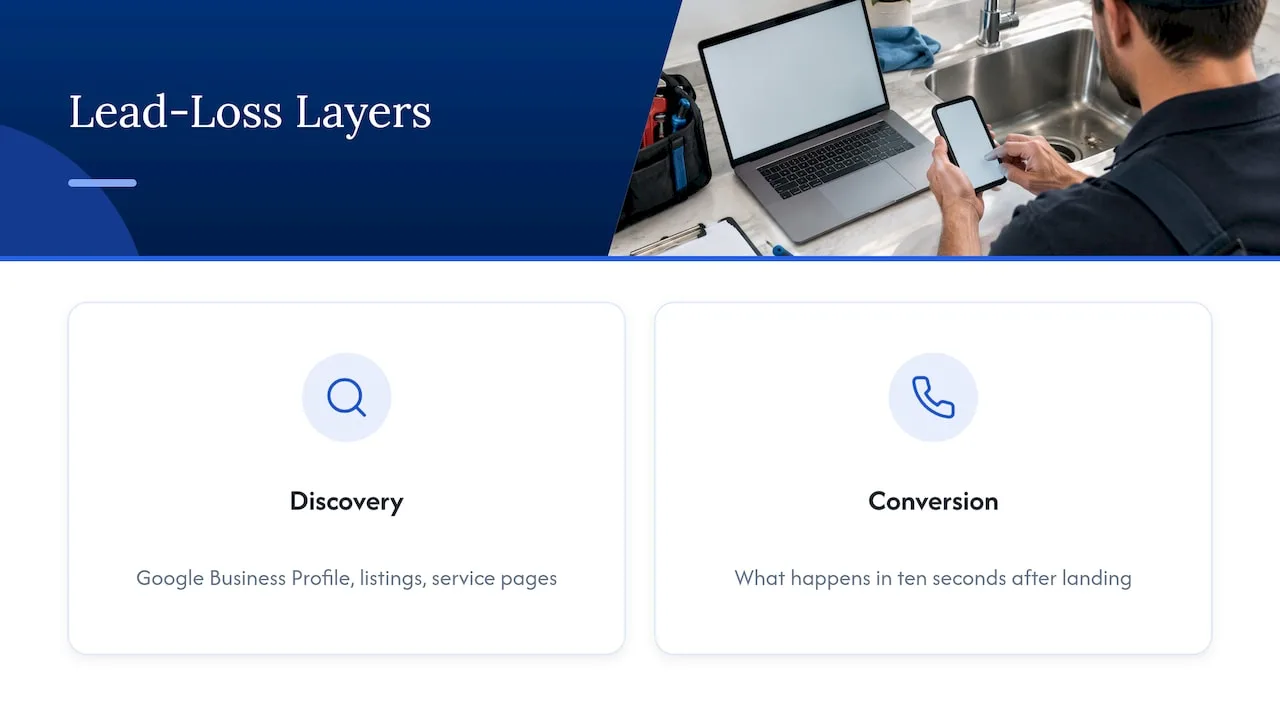
There are two layers of failure. The first is being found: your Google Business Profile, your listings and your service pages. The second is converting: what happens in the ten seconds after someone lands. Most guides only cover the second. Plumbers lose work in both.
Mistake 1: Making people hunt for the phone number
This is the single most common leak. On a phone, a visitor should be able to call you with one tap, from any page, without scrolling.
What it looks like:
- The number appears only in the footer or on a contact page.
- The number is typed as plain text or embedded in a graphic, so tapping does nothing.
- A header button says “Contact Us” and leads to a form, when the visitor wants to talk to a human now.
The fix:
- Put a tap-to-call button in a sticky header or bottom bar on mobile, visible on every page.
- Label it with the action and the promise: “Call now, 24/7 emergency line” if that is true for your shop, or your real hours if it is not.
- Make sure the number is a live link, not an image.
- Keep a short form as a second option for non-urgent work like fixture installs or quotes.
If you only have an hour to improve your site, spend it here.
Mistake 2: A slow, awkward mobile experience
Most plumbing searches happen on a phone, often on a weak cell connection in a basement or driveway. A page that takes too long to load, jumps around as images appear, or needs pinching and zooming loses people quickly.
Common problems:
- Huge uncompressed photos of vans and crews on the homepage.
- Pop-ups that cover the call button.
- Tiny text links and buttons set too close together, so a thumb taps the wrong thing.
- Long forms asking for ten fields before you will talk to anyone.
The fix: Test your site on your own phone, on cell data rather than Wi-Fi. Time how long until you could tap the number. Then trim: compress images, remove autoplay video, delete pop-ups, and cut the form to name, phone, address or town, and a one-line description of the problem. A form people finish beats a thorough form they abandon.
Mistake 3: Unclear services and service areas
Homeowners need to know two things almost instantly: do you do what I need, and do you come to my town? Many plumbing sites answer neither.
What goes wrong:
- One “Services” page lists “residential and commercial plumbing” in a single sentence.
- The service area says “serving the greater area” with no town names.
- Emergency work, drain cleaning, water heaters, sewer lines and repiping all share one page, so none of them can show up well in search.
The fix: Give each core job its own page: water heater repair and replacement, drain cleaning, leak repair, sewer line work, fixture installation, and so on. On each, say what the problem looks like, what you do, what the visit involves, and how to book. Then name your towns. In Rhode Island that might mean Providence, Warwick, Cranston, Pawtucket and the East Bay. In Massachusetts it might mean Fall River, New Bedford, Taunton and the South Coast. Real town names tell both visitors and Google where you work.
Be honest about what you don’t do. If you don’t handle commercial jobs or don’t work in a certain county, say so. It saves calls you can’t use and helps the right people feel confident.
Mistake 4: Outdated design that signals “maybe out of business”
Homeowners are about to let a stranger into their house. A site that looks ten years old, with a copyright year from long ago, broken images, stock photos of models in clean uniforms, or a layout that breaks on a phone, makes them wonder whether anyone is still running the company.
What helps:
- Real photos of your team, your trucks and your finished work, with first names where your crew is comfortable with it.
- A current copyright year and recent content: a seasonal tip about frozen pipes in New England, or a short note on when to replace a water heater.
- Clear licensing and insurance details. State your license number if you have one, since licensing is a basic trust point.
- A clean, simple layout. White space and a large call button beat clutter.
You do not need a flashy site. You need one that looks cared for and says plainly who you are.
Mistake 5: Thin or stale reviews
Reviews are often the deciding factor between two similar plumbers. BrightLocal’s 2026 survey found that 97% of consumers read reviews for local businesses, and the same research points to rising expectations for star ratings and for recent reviews, so a handful of old ones no longer does the job.
Typical mistakes:
- Only a few reviews, all from years ago.
- No reviews shown on the website at all.
- Owner replies that are missing, or copy-pasted and generic.
- Asking for reviews only when you remember, which means rarely.
The fix:
- Ask every happy customer, every time, while the technician is still in the driveway or within an hour of finishing. A text with a direct link to your Google review page works better than a verbal request.
- Show your best recent reviews on your homepage and on each service page, next to the call button.
- Reply to every review, positive or negative, in a specific, courteous way. Mention the job and the town where it fits.
- Never buy, fake or gate reviews. It violates platform rules and wrecks trust if discovered.
Automating the request is the only way most busy shops stay consistent. That is the idea behind our review system: a request goes out after each completed job without anyone having to remember.
Mistake 6: Inconsistent business details across the web
Before someone reaches your site, Google decides whether to show you in nearby results. One common problem is inconsistent name, address and phone details across your website, Google Business Profile and directories. One company blog on plumbing local SEO argues that NAP inconsistency undermines Google’s confidence in a listing, which matches what most local marketers see in practice, though the exact ranking effect is not published by Google.
What to check:
- Is your company name written the same way everywhere, not “Smith Plumbing” in one place and “Smith Plumbing & Heating LLC” in another?
- Does the phone number match everywhere, including old tracking numbers you forgot about?
- Is your address, or your service area if you hide the address, set correctly on your Google Business Profile?
- Are your categories, hours and services accurate and complete?
- Do you have fresh photos and regular posts on the profile?
A tidy, active Google Business Profile often sends more calls than the website itself, because many people tap “Call” straight from the map listing. If yours is neglected, our local SEO and Google Business Profile work is built to fix exactly that.
Mistake 7: No answer when someone does reach out
This is the mistake that no design change can cure. A homeowner calls at 7 p.m., gets voicemail, and calls the next plumber on the list. A form submission sits unread until morning. By then the job is gone.
Plumbing is an urgent trade, and many of your best jobs arrive when your crew is under a sink, on the road or asleep. The leak is not on the website. It is in the follow-up.
Practical fixes, from cheapest to most complete:
- Missed-call text-back. When a call goes unanswered, an automatic text goes out within seconds: “Sorry we missed you, what’s going on and what’s your address?” Many people will reply with details, and you can call back with context.
- Instant form confirmation. Every form submission triggers a text and email telling the person you got it and when to expect a call.
- After-hours coverage. Either a live answering service or an AI voice agent that answers, collects the problem and address, flags true emergencies and books or routes the job.
- Website chat. A chat widget that answers common questions (“Do you service Cranston?”, “Do you do water heater installs?”) and captures contact details at any hour.
These are the tools we build: missed-call text-back and CRM automation, an AI voice agent for inbound calls, and AI website chat. They are designed so a lead never waits for someone to be free.
Mistake 8: No clear next step and no proof
A visitor who is not in crisis, someone planning a bathroom remodel or a repipe, needs a reason to pick you and an easy way to start. Many sites end every page with a vague “Contact us today!”
Make the next step specific:
- “Request a free estimate” only if you actually offer free estimates.
- “Book a water heater replacement” on the water heater page.
- A short line about what happens next: “We’ll call within 15 minutes during business hours.” Only promise what you can deliver.
Add proof near the button:
- Review count and star rating.
- License and insurance badges.
- Years in business and the towns you serve.
- Before and after photos from local jobs.
- Any warranty you actually give on labor or parts.
A quick audit you can do in 15 minutes
Grab your phone, turn off Wi-Fi, and go through this list.
| Check | Pass looks like |
|---|---|
| Tap-to-call | One tap from every page, no scrolling |
| Load speed | Page usable within a few seconds on cell data |
| Service pages | One page per major job, with local detail |
| Service area | Real town names listed |
| Design | Current, real photos, no broken elements |
| Reviews | Recent reviews visible near the call button |
| Listings | Name, address, phone identical everywhere |
| After hours | Missed calls and forms get an instant reply |
| Next step | Each page ends with one clear action |
Every “fail” is a lead you are probably losing. Fix them in order of the table, top to bottom: the earlier items cost less and pay back faster.
Our perspective
We work only with contractors in Rhode Island and Massachusetts, and the pattern is consistent: plumbers rarely have a traffic problem first. They have a catching problem. Calls go to voicemail, forms wait until morning, and the website says little about which towns the shop serves.
That is why we don’t treat a website as a brochure. We build it as a lead engine: a prominent call button, service pages for each job, local town detail, reviews on the page, and automation behind it so every call and form gets a fast response.
If you do one thing, answer every lead quickly, day or night. Everything else, SEO, reviews, design, works harder once that is in place.
Tyson
Fixing it without rebuilding everything
You don’t need to start over. A sensible order looks like this:
- Week one: Add tap-to-call, clean up your Google Business Profile, and make your name, address and phone details consistent.
- Weeks two to four: Write or rewrite your core service pages with town names, and add recent reviews and your license information.
- Month two: Turn on missed-call text-back, form confirmations and a review-request routine.
- Ongoing: Add after-hours call handling and chat, publish seasonal content, and keep collecting reviews.
If you would rather hand it off, we package this work for local trades. Our plans start with Foundation at $597 per month, Growth at $1,297 per month and Scale at $2,497 per month, and you can see what each includes on the pricing page. If your main problem is the site itself, look at our websites built to book jobs.
Get a site that books jobs
Coastal Connect builds websites and follow-up systems for plumbers, HVAC, electrical, roofing and landscaping companies across Rhode Island and Massachusetts. Our team is local and knows the towns and trades you serve. We combine local SEO, a site designed around calls, automated follow-up, review requests and 24/7 inbound call handling, so the leads you already pay for stop slipping away.
See the plans on our pricing page, or start from our main site to see how we work with contractors.
FAQ
What is the biggest mistake on a plumbing website?
Making it hard to call. If the phone number is not a tap-to-call link visible on every mobile page, you lose the most urgent customers, who are the ones ready to book. Fix that before anything else.
How many pages should a plumbing website have?
There is no magic number, but each major service should have its own page, such as water heaters, drain cleaning and leak repair, plus an about page, a contact page and pages for the towns you serve. Each page should say something specific and useful rather than repeat the same text with a different town name.
Do reviews really matter for a plumbing website?
Yes. BrightLocal’s 2026 survey reports that 97% of consumers read reviews for local businesses. Recent reviews with strong ratings, displayed near your call button, help a visitor choose you over a similar shop.
Should I answer calls after hours?
If you want emergency work, yes. Homeowners with a burst pipe call the next plumber when yours goes to voicemail. Options include a live answering service, missed-call text-back, or an AI voice agent that answers, takes details and routes true emergencies to you.
Can I fix these mistakes myself?
Many of them, yes: tap-to-call, consistent listings, new photos and a review habit are within reach of a busy owner. The automation and search work take more setup, which is where a team that knows local trades can save you time.