A good HVAC website does five jobs: it shows a phone number and a clear next step on every page, loads fast on a phone, has a page for each town and service you cover, proves you are real with reviews and photos, and makes sure every inquiry gets a quick reply. This checklist walks through each of those, with specific checks you can run on your own site in an afternoon.
It is written for HVAC owners and office managers in Rhode Island, Massachusetts and similar markets, where a homeowner with a dead furnace on a January night will call the first contractor who looks trustworthy and picks up.
TL;DR
- Put a tap-to-call button, your phone number and one obvious action (“Request Service”) on the first screen of every page.
- Build a separate page for each core service and each town you serve, and keep your Google Business Profile consistent with your site.
- Show real team photos, third-party reviews and credentials instead of stock images.
- Aim for a Largest Contentful Paint under 2.5 seconds, and make forms and menus usable by keyboard and screen reader.
- A form that nobody answers within minutes is a leak: route every lead to a person or an automated reply right away.
Table of Contents
- How to use this checklist
- First-screen checks: the next ten seconds decide the call
- Forms and booking: make asking for service easy
- Service pages and town pages: how local search finds you
- Trust signals: you are asking someone to let a stranger into their home
- Speed, mobile and security
- Lead follow-up: where good websites still lose jobs
- Perspective: why a website is only half of the system
- Where Coastal Connect fits
- FAQ
- Sources
How to use this checklist
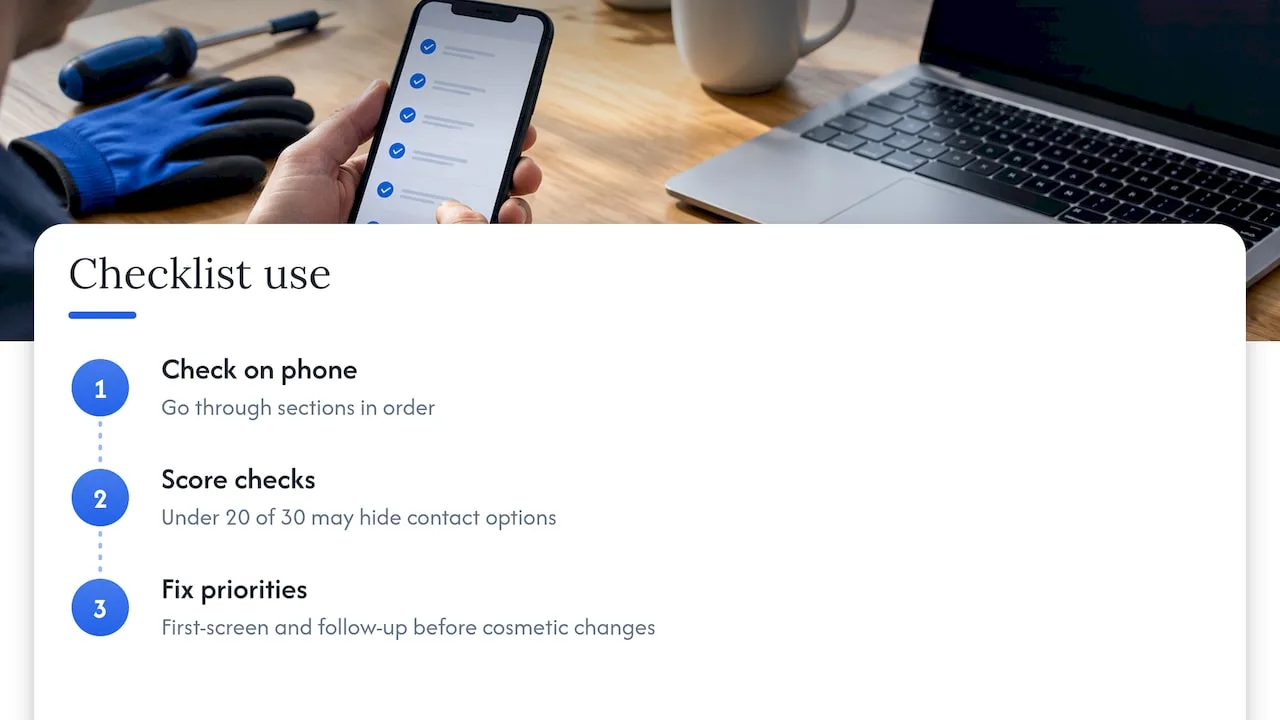
Go through the sections in order, on your phone first. Most HVAC searches happen when something has already failed, so the person on your site is stressed, short on time and holding a phone. If a check fails on mobile, it fails.
Score yourself as you go. Under 20 of the 30 checks passing usually means a visitor can leave without ever finding out how to reach you. Fix the first-screen and follow-up items before you touch anything cosmetic.
First-screen checks: the next ten seconds decide the call
Service Nation’s guidance on service landing page optimization says a page that books jobs does three things on the first screen: it names the service and the location, shows how to contact you right now with a click-to-call button and a visible phone number, and offers one obvious next step. Use that as your standard.
- Your phone number is visible without scrolling. It sits in the header on every page, not only on the contact page.
- The number is tap-to-call on mobile. Test it with your own phone. A number that is plain text forces a copy and paste.
- The headline names the service and the place. “Furnace Repair in Warwick, RI” beats “Quality Comfort Solutions.”
- One primary action. Pick “Request Service” or “Book Now” and make it the loudest button. The same guide recommends button copy like “Request Service” over a generic “Submit.”
- A sticky call button on mobile. The call option stays on screen as the visitor scrolls.
- Emergency wording is clear. If you take no-heat or no-cool calls, say so and say when, in plain words near the top.
- Hours and service area appear in the header or footer. Visitors should know within seconds that you cover their town.
Brian Vastola of MRB Marketing, quoted by Housecall Pro, puts the principle simply: remove friction until contacting you takes no thought. Every item above is a way of doing that.
Forms and booking: make asking for service easy
A short form gets filled out. The Service Nation guide suggests asking only for name, phone, email, the service needed and a preferred time. Anything beyond that is a reason to give up.
- Five fields or fewer. Name, phone, email, service needed, preferred time.
- Set expectations under the button. Tell the homeowner who will respond and how soon, for example “A real person will call you within 15 minutes during business hours,” but only promise what your team can deliver.
- A thank-you page or message that confirms what happens next. It also gives you a clean place to count conversions.
- Online booking that works around the clock. Housecall Pro reports that 41% of jobs booked through its platform come in after hours, which is a useful reminder that evening and weekend visitors are real buyers.
- Test every form monthly. Submit one from your phone and confirm it arrives where it should. Forms break quietly after plugin updates or email changes.
Service pages and town pages: how local search finds you
One “Services” page listing heating, cooling, ductwork and indoor air quality in a single paragraph gives search engines and visitors very little to work with. Jobber’s HVAC website guide recommends dedicated pages for each specialty and each city served, and Housecall Pro lists local service area pages among its five essentials for a lead-generating site.
- One page per core service. Furnace repair, AC repair, heat pump installation, mini-split installation, boiler service, duct work, maintenance plans.
- One page per town or city you really serve. Warwick, Cranston, Fall River, New Bedford and so on. Each should have written content specific to that area, not the same text with the town name swapped.
- Local proof on each page. A recent job in that town, a short customer comment, a photo of your truck or crew.
- Clear internal links. Service pages link to town pages and back, and every page links to your contact options.
- A page title and heading that match the search. “Heat Pump Installation in Providence, RI” is the kind of wording people type.
Google Business Profile alignment
Your website and your profile should tell the same story. ServiceTitan’s profile guide recommends the business name exactly as it appears on your signage, a local phone number that matches your website, a link to your site, specific categories such as HVAC Contractor and Air Conditioning Repair, a description under 750 characters, all services listed, accurate hours including holidays, authentic photos and booking links.
- Name, address and phone match everywhere. Site, profile, directories and social pages should be identical.
- Categories and services are filled in. Do not leave the profile at its defaults.
- The profile links to your best booking or service page, not just the home page.
If you want this handled for you, our local SEO and Google Business Profile service covers the profile, the town pages and the citations together.
Trust signals: you are asking someone to let a stranger into their home
ACHR News makes the point that trust is not optional in HVAC, because customers are inviting someone into their house. It recommends third-party reviews from Google, Facebook and the Better Business Bureau, photos and videos of your staff, and avoiding stock images. Jobber adds customer quotes, star ratings from sites like Yelp and Angi, before-and-after installation photos, and visible certifications and awards.
- Real photos of your team and trucks. A recognizable face on the About page and near the contact form builds familiarity before the first call.
- Reviews with names and dates, pulled from third-party sites. Link to the source so visitors can see they are real.
- Credentials displayed where decisions happen. Licenses, manufacturer certifications, insurance and awards belong near the call to action, not buried in the footer. Only list what you actually hold.
- Before-and-after project photos, labeled with the job type and town.
- Warranty and guarantee terms stated plainly. If you stand behind your work, say exactly how.
- You answer reviews. ACHR News recommends responding to every review, positive or negative. A calm, specific reply to a bad review often does more for trust than a page of five-star ratings.
A steady flow of fresh reviews is what keeps this section alive. Our review system is built to request reviews automatically after a job, so the proof on your site does not go stale.
Speed, mobile and security
ACHR News cites WordStream’s finding that over 60% of web traffic comes from mobile, and notes that Google indexes the mobile version of a site and takes speed into account. Treat the phone version as your real website.
- Core Web Vitals are in the green. Google’s web.dev guidance sets good thresholds at a Largest Contentful Paint within 2.5 seconds, an Interaction to Next Paint of 200 milliseconds or less, and a Cumulative Layout Shift of 0.1 or less. Check your site on a phone over cellular data, not only on office Wi-Fi.
- Images are compressed and sized for mobile. Big truck photos and hero images are the most common cause of slow pages.
- The site runs on HTTPS with a valid certificate, and your forms do not send customer details through unprotected channels.
- No pop-ups covering the call button. A chat widget or promo banner that blocks the phone number defeats the page.
Accessibility: what the law says and what is good practice
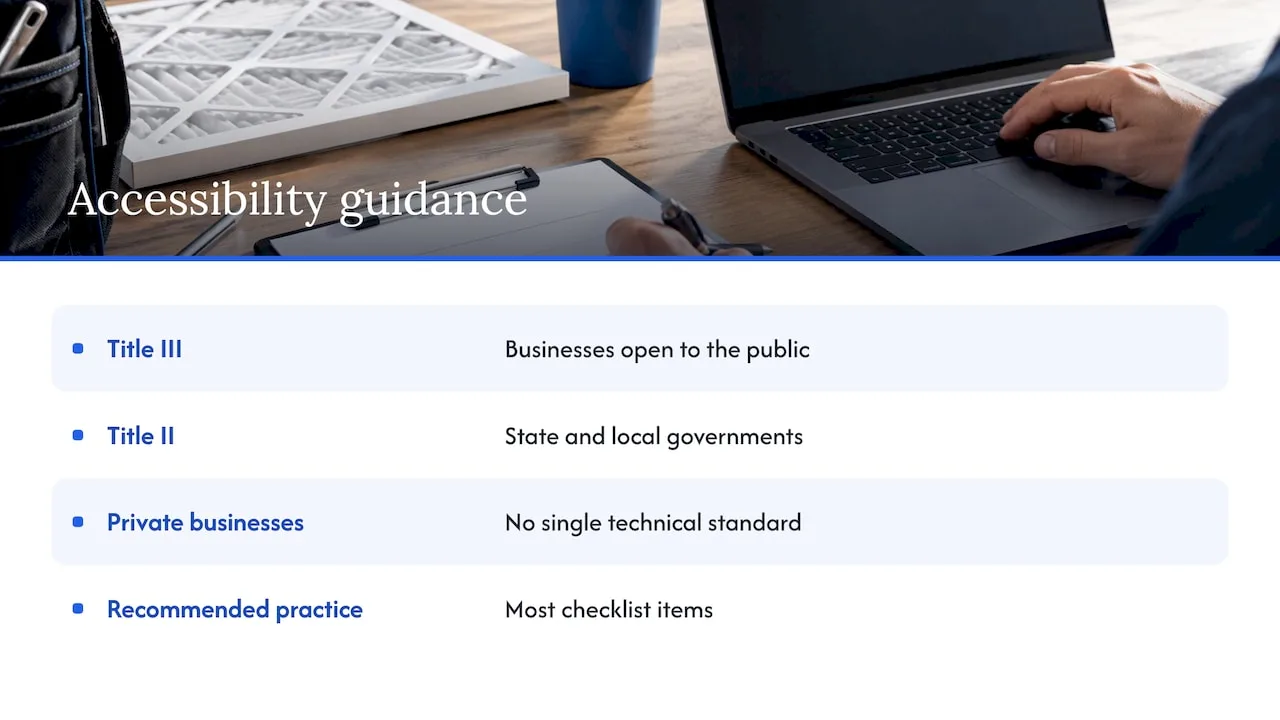
The U.S. Department of Justice’s guidance on web accessibility and the ADA states that the ADA applies to businesses open to the public (Title III) and to state and local governments (Title II). It lists common barriers, including missing keyboard navigation and form fields without clear instructions or error messages. The guidance does not set a single technical standard for private businesses, so treat the barriers it names as a practical to-do list: make menus and forms work by keyboard, label every form field, and show clear error messages.
For anything about how these rules apply to your particular business, or about consent rules for marketing texts and calls, ask your own attorney. Most of the checklist above is recommended practice, not a legal requirement. The accessibility items and any consent wording on your forms are the ones worth running past a lawyer.
Lead follow-up: where good websites still lose jobs
A site can do everything right and still lose the job if nobody responds. Service Nation notes that a form landing in a shared inbox checked twice a week is not doing its job, and recommends routing submissions straight to the team.
Use this short follow-up routine:
- Route every form, call and chat to a named person or a shared phone alert, not an inbox nobody owns.
- Send an instant acknowledgment by text or email so the homeowner knows the request landed.
- Capture missed calls. If a call goes unanswered, an automatic text-back keeps the conversation open while the homeowner is still deciding.
- Track the source. Note whether each lead came from a call, form, chat or profile, so you know which pages earn their keep.
- Review weekly. Count leads, booked jobs and unanswered requests.
This is the exact gap our missed-call text-back and CRM setup is designed to close.
Perspective: why a website is only half of the system
We work only with contractors in Rhode Island and Massachusetts, so we see the same pattern again and again. The website looks fine, the phone rings during a job or after hours, and the lead goes to whoever answers next.
That is why we do not treat a website as a brochure. We build it as a lead engine: a clear call button, pages for each trade and town, and a follow-up system behind every form. Local SEO brings the right people in, and automation makes sure none of them are left waiting.
If you only have time to fix three things this month, fix these: make the number tap-to-call, write real town pages, and answer every inquiry within minutes. Everything else on the checklist builds on those.
Tyson
Where Coastal Connect fits
If you would rather not work through 30 items yourself, we build and run these systems for HVAC, plumbing, electrical, roofing and landscaping contractors in Rhode Island and Massachusetts. Our websites that book jobs are designed around the first-screen, form and trust checks above, and the follow-up tools sit behind them.
Plans are published on our pricing page: Foundation is $597 per month, Growth is $1,297 per month and Scale is $2,497 per month. An AI employee on Growth is $199 per month, and extra locations start from $299 per month. If calls are the leak, our AI voice agent answers inbound calls around the clock, and AI website chat handles questions from visitors who would rather type.
FAQ
What should be on an HVAC website homepage?
Show your phone number, a tap-to-call button, the services and towns you cover, your strongest reviews and one clear action such as “Request Service.” Add real photos of your team and your licenses or certifications. Keep everything else secondary to getting the visitor to contact you.
How many pages does an HVAC website need?
There is no fixed number, but you need a page for each core service you sell and a page for each town or city you actively serve, plus home, about, contact and reviews pages. Each page should have its own useful content rather than copied text. Add pages as you expand into new services or areas.
Should an HVAC website have online booking?
It helps, because many visitors browse in the evening or on weekends. Housecall Pro reports that 41% of the jobs booked through its platform arrive after hours. If full scheduling is not practical, a short request form with a fast, reliable follow-up is a solid alternative.
Is my HVAC website required to be ADA accessible?
The Department of Justice says the ADA applies to businesses open to the public and lists web barriers such as missing keyboard navigation and unclear form errors. It does not publish one technical standard for private businesses in that guidance. Fixing the named barriers is a sensible baseline, and your attorney can advise on your specific situation.
Sources
- Housecall Pro: Best HVAC Website Designs and How to Build One
- Jobber: HVAC Websites, 13 Pro Examples
- Service Nation: Service Landing Page Optimization for Booked Jobs
- ServiceTitan: Google Business Profile for HVAC
- ACHR News: 7 Tips for Effective HVAC Websites
- web.dev: Web Vitals
- ADA.gov: Guidance on Web Accessibility and the ADA