The plumbers who collect the most Google reviews do one thing the rest skip: they ask every customer, the same way, right after the job is done and explained. Google lets you share a direct review link or QR code, requires reviews to reflect a real experience, and bans incentives. So the whole system comes down to a clean link, a consistent request and a calm reply to whatever comes back.
This guide walks through each piece for a plumbing business: setting up the link, timing the ask, wording the message, staying inside the rules, answering good and bad reviews, and tracking whether it is working.
TL;DR
- Create your review link or QR code in your Google Business Profile, then put it on invoices, receipts, texts and emails so a customer can post in two taps.
- Ask every customer after the work is finished and explained, using the same neutral wording. Never ask only the people you expect to be happy.
- Never offer discounts, gifts or anything else for a review. Google prohibits it, and the FTC’s fake review rule carries civil penalties of up to $53,088 per violation.
- Reply to every review, good or bad, promptly and politely. Flag the ones that break Google’s content policies.
- Check your review count and rating monthly so you can see what is working.
Table of Contents
- Why reviews decide who gets the call
- Set up your review link and QR code
- When to ask: timing by job type
- What to say: texts and emails that get answered
- What Google and the FTC allow
- Replying to reviews
- Track whether it is working
- Common mistakes plumbers make with reviews
- Our perspective
- Make review requests automatic
- FAQ
- Sources
Why reviews decide who gets the call
A homeowner with a burst pipe or a dead water heater does not browse. They search, look at the three or four businesses that show up on the map, and call one. Google says reviews appear beside your Business Profile in Search and Maps, help a business stand out and give potential customers useful information. For an emergency trade, that is often the entire sales pitch.
The search results for this topic show the pattern. Directory pages for plumbers in cities from Houston to Worcester, Massachusetts are built almost entirely around review counts and star ratings, with one or two snippets of customer comments under each name. Customers are comparing you on how many people have vouched for you and what those people said, before they ever see a price or a website.
Three things matter in practice:
- Volume and recency. A plumber with 200 reviews and a steady trickle of new ones looks active. A plumber whose last review is from two years ago looks like a question mark.
- What the reviews say. Customers read the text. Specifics such as arriving on time, explaining the repair, cleaning up and quoting honestly do more than a row of stars.
- How you reply. A reply is public. Future customers read how you handle both praise and complaints.
Google also notes that honest, balanced feedback helps people decide, and that a mix of positive and negative reviews often feels more trustworthy. A perfect 5.0 built on a handful of reviews is not the goal. A strong rating built on many real ones is.
Set up your review link and QR code
Before you ask anyone, make it easy. Every extra step between “sure, I’ll leave one” and the review form costs you reviews.
Google’s help page on creating a review link or QR code explains that you can generate both from your Business Profile and share them on receipts, in thank-you emails or chats, or display the QR code in a store. One detail catches people out: QR codes can only be generated in a computer browser, not in the phone app. Set it aside twenty minutes at the office desk.
A simple setup that works for a plumbing company:
- Confirm your profile is verified and accurate. Name, service area, phone number, hours and categories should all be right. If you are not sure why this profile matters in the first place, this explanation of why a Google Business Profile matters covers the basics.
- Generate the link and the QR code from your profile on a computer.
- Shorten or save the link where your office staff and technicians can paste it into a text in seconds.
- Print the QR code on invoice templates, door hangers, leave-behind cards and, if you have one, the counter at your shop.
- Put the link in your invoicing or CRM templates so it goes out automatically with the paid receipt or the job-complete message.
Customers need a Google Account to post, but according to Google Business Profile Help they do not need a Gmail address. That matters for older homeowners who use another email provider. If someone says they cannot leave a review because they do not have Gmail, they probably can.
When to ask: timing by job type
The best moment to ask is when the customer has just seen the problem solved and still remembers who fixed it. But “right after” does not mean the same thing on every job.
| Job type | Best time to ask | Why |
|---|---|---|
| Emergency repair (leak, clog, no hot water) | Same day, a few hours after you leave | Relief is at its peak and the memory is fresh |
| Water heater or fixture installation | After the final walkthrough, once you have shown them how it works | They need to see it working before they can judge it |
| Repipe, sewer line or other multi-day project | After the final inspection and cleanup | Judging half a job produces half a review |
| Callback or warranty visit | After the concern is resolved and the job is closed again | Asking mid-problem invites a bad review |
| Maintenance plan visit | At the end of the visit, then once or twice a year at most | Repeat customers can be asked, but not every time |
The rule behind the table is simple: ask after the promised work is complete and explained. Never ask while a customer is still waiting on a fix, a part or an answer.
Two ways to ask tend to work best together. First, say it out loud at the job: “If you were happy with how it went, we’d really appreciate a quick Google review. I’ll text you the link.” No pressure, no repeating it. Second, send an automatic text or email within a few hours of closing the job with the direct link. The spoken ask warms the customer up and the message makes it effortless.
What to say: texts and emails that get answered
Short wins. A homeowner reading a text on their phone will not read a paragraph. Here are templates you can adapt to your own voice.
Text message, same day:
“Hi Maria, this is Dan from [Company Name]. Thanks for having us out today to fix the kitchen drain. If you have a minute, we’d appreciate your honest feedback on Google: [link]. Thank you!”
Email after an installation:
Subject: How did your new water heater install go?
“Hi James, thanks for choosing us for your water heater replacement. We hope everything is working well. If you have two minutes, an honest review helps your neighbors find a plumber they can trust: [link]. If anything isn’t right, reply to this email or call us at [number] and we’ll take care of it.”
Verbal ask at the door:
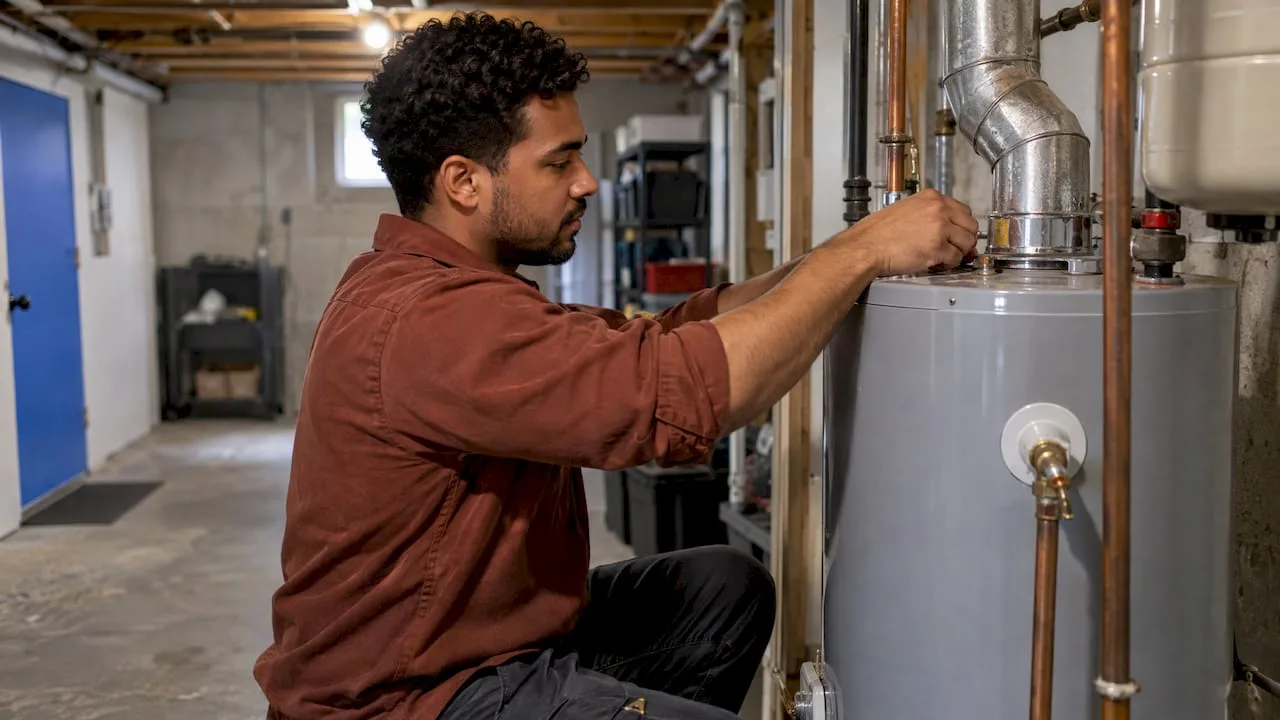
“Everything’s running now. If you’re happy with the work, a Google review means a lot to a small shop like ours. I’ll send the link to your phone.”
Notice what these have in common:
- They ask for an honest review, not a good one.
- They offer one direct link, not three options.
- The email gives unhappy customers a private way to reach you first, which is good service, not review gating (see the next section for why that line matters).
- None of them mention a discount, a gift card or a prize.
Make the technician part of the habit. The person who was in the home is the one the customer remembers, and a text that names them gets more specific reviews (“Dan explained everything”). Those specifics are what future customers actually read.
What Google and the FTC allow
This is the part where plumbing companies get into real trouble, usually with good intentions. Be strict about it.
Google’s rules
Google prohibits offering incentives, such as free or discounted goods or services, in exchange for posting, changing or removing reviews. That covers the “$25 off your next visit for a five-star review” idea and equally the “we’ll waive the trip charge if you take down that review” conversation. Google also says review requests should invite honest, objective feedback, and that reviews must reflect a genuine experience.
A clean policy for your team:
- Send the same neutral request to every customer whose job is complete.
- Do not screen customers first and send the link only to the happy ones.
- Do not write reviews for customers, and do not post reviews yourself, for staff or for relatives.
- Do not trade anything of value for a review, or for removing one.
The FTC’s fake review rule
The Federal Trade Commission announced a final rule on August 14, 2024 banning fake or false reviews and testimonials. It prohibits businesses from buying or selling fake reviews and from conditioning compensation on the sentiment of a review. It also covers certain undisclosed insider reviews and specified forms of review suppression.
The stakes are real. In December 2025 the FTC warned ten companies about possible violations, noting that civil penalties can reach $53,088 per violation. For a small plumbing company, a handful of purchased or incentivized reviews is not worth that exposure.
If you work with a marketing company or a review tool, ask how it requests reviews and make sure it sends the same neutral request to everyone. If you have questions about a particular practice, a business attorney is the right person to ask.
Replying to reviews
Google recommends replying to reviews and says responses show customers that you value their input. Its guidance is to respond to all reviews promptly, professionally and politely. Reply to everything, not just the praise.
Positive reviews
Thank the customer by name, mention something specific from their job, and keep it short. Do not paste the same reply every time, since it reads like a robot is answering.
“Thanks, Maria. Glad the kitchen drain is running clear again. Dan and the team appreciate you taking the time to write this.”
You do not need to promote yourself or stuff in keywords. The reply is for the next customer reading it.
Negative reviews
A bad review is going to happen on a long enough timeline. Google notes that negative reviews can help businesses understand expectations and improve future service. How you reply is what the next homeowner judges.
A workable pattern:
- Wait ten minutes before replying if you are angry. Then write.
- Apologize where it is appropriate, without admitting things that did not happen.
- Stay factual and calm. No arguing, no customer details, no sarcasm.
- Invite them to contact you privately with a name and phone number or email so you can resolve it.
- Follow through. If the issue gets fixed, the customer may update their review. You may ask them to reconsider but never offer anything in exchange.
“Hi Robert, we’re sorry the repair didn’t go as you expected. That isn’t the standard we hold ourselves to. Please call our office at [number] and ask for [name] so we can look into it and make it right.”
Reviews that break the rules
Not every bad review is a legitimate one. Google lets businesses flag reviews that violate its content policies. Examples include reviews from someone who was never a customer, spam, or content that is clearly off-topic. Flag them, and reply publicly to the legitimate ones. A review that is simply unflattering does not violate policy. Do not flag a real customer’s honest complaint just because you disagree.
Track whether it is working
You do not need a dashboard. You need a monthly habit. Once a month, write down four numbers:
- Total number of Google reviews
- Average star rating
- Reviews received this month
- How many of this month’s completed jobs got a review request
The last one is the number most plumbers never look at. If you finish 80 jobs and only 20 customers received the request, your review count is limited by your process, not by your customers. Raise the share of jobs that get the request and the volume tends to follow.
Also watch what the reviews say. If three customers in one month mention that the technician was late without calling, that is a dispatch problem to fix, and the review has just done you a favor. If customers keep praising one technician by name, that is a person to put in front of more customers.
If your invoicing or CRM software shows request-to-review results, use it. If not, a spreadsheet with those four columns is enough.
Common mistakes plumbers make with reviews
- Asking too early. The tech is still in the driveway and the water is not yet back on. Wait until the work is complete.
- Asking only some customers. Sending the link only to people who seemed happy is exactly the pattern Google and the FTC are trying to stamp out. Ask everyone.
- Sending a link that does not work. Test the link and QR code from a phone before printing 500 cards.
- Ignoring old reviews. An unanswered complaint from last year still tells a story. Reply now, even late.
- Letting one person carry the load. If the owner is the only one who asks, reviews stop when the owner is busy. Build the request into the job-complete step so it happens by default.
- Treating reviews as a one-time project. The goal is a steady trickle, a few every week, not a burst followed by silence.
Our perspective
We work only with contractors in Rhode Island and Massachusetts, and the review problem we see most is not a shortage of happy customers. It is a shortage of asking. A plumber does great work on forty jobs a month, nobody sends a link, and the Google profile looks like a business that barely exists.
Our view is that reviews should be a built-in step of finishing a job, not something the owner remembers when things are slow. That means a direct link, a consistent request sent to every customer, a quick reply to every review, and a monthly look at the numbers. It also means staying strictly inside Google’s and the FTC’s rules, because a shortcut that puts your profile or your business at risk is never worth it.
This is why we pair review requests with the rest of how a local customer finds you: a well-kept Google Business Profile, local search work, and a website and phone follow-up that capture the lead once the review has earned the click. We design our systems to make the request automatic and the reply easy, so the owner stays on the job site instead of in the inbox.
Tyson
Make review requests automatic
If you read this and thought “I know what to do, I just won’t do it consistently,” that is the problem we built our review service for. Reviews that keep coming is designed to send a review request after each completed job, so asking does not depend on anyone remembering.
Reviews work best alongside a profile that is set up correctly, which is what our Local SEO and Google Business Profile service covers. Our published plans start at $597 per month for Foundation, with Growth at $1,297 per month and Scale at $2,497 per month. You can see what each includes on the pricing page.
FAQ
How do I ask customers for Google reviews without being pushy?
Ask once, after the job is finished and explained, and give them a direct link so it takes seconds. A short spoken ask at the door followed by an automatic text works well. Use the same wording for every customer and invite honest feedback instead of asking for five stars.
Can I offer a discount for a Google review?
No. Google prohibits offering incentives, including free or discounted goods or services, for posting, changing or removing reviews. The FTC’s fake review rule also bars conditioning compensation on the sentiment of a review. Thank customers sincerely instead.
Do customers need a Gmail address to review my plumbing business?
No. They need a Google Account, but according to Google Business Profile Help it does not have to be a Gmail address. If a customer hesitates, suggest they sign in with the account they already use for Google services or create one with their existing email.
What should I do about an unfair negative review?
First check whether it breaks Google’s content policies, for example because the person was never a customer or the content is spam. If it does, flag it. If it is just a harsh opinion, reply calmly, apologize where appropriate and invite the customer to contact you privately to fix it.
How often should I check my reviews?
Look at new reviews at least a few times a week so you can reply promptly, and review your totals once a month. Track your review count, average rating, new reviews and how many completed jobs received a request.
Sources
- Create a Google link or QR code to request reviews, Google Business Profile Help
- Tips to get more reviews, Google Business Profile Help
- Get Google reviews, Google Business Profile Help
- FTC announces final rule banning fake reviews and testimonials
- FTC warns 10 companies about possible violations of the Consumer Review Rule
- Do I need a Google Business Profile?