Yes, set up and manage Google Business Profile Q&A, but only where it exists for your listing. Your first action is a live check: search for your business on Google Maps, on desktop and on your phone, and look for a questions area. Availability and owner controls vary by region and device, so confirm what you see before you plan anything.
TL;DR:
- Check Google Maps and Search on desktop and mobile, both signed in and out, because Q&A availability and owner controls vary by region and device.
- Assign one person to check daily or weekly based on call volume, and log each question, action, date, and responsible staff member.
- Answer factual questions with brief, verified details and a useful next step; report spam, abuse, competitor attacks, and false claims instead of arguing publicly.
- The Q&A API supports content management, but verify current availability, avoid tutorials predating November 3, 2025, and keep manual checks as a fallback.
Table of Contents
- How GBP Q&A works for owners and searchers
- Why curate Q&A: business benefits
- Step-by-step setup and seeding checklist
- Monitoring and moderation workflow
- API and programmatic options
- Best practices and Q&A templates to seed
- Why contractors should prioritize GBP Q&A
- How we can help you set up and manage GBP Q&A
- FAQ
- Sources
How GBP Q&A works for owners and searchers
Q&A lets people ask a question about your business, and other people (including you, where the feature is available) can answer it. Google describes the feature as region-dependent, limited to certain countries and regions, so never assume your listing shows it.
Here is what to expect:
- User-submitted questions: Anyone browsing your listing can post a question, so strangers set the first topics.
- Owner answers: Where the interface allows it, you answer from the same place customers see the question.
- Upvotes: If the feature is available, monitor questions and answers and keep your responses accurate.
- Where it appears: Check your listing in Maps and Search, since availability and the path to Q&A can vary.
- Device differences: On Android, for example, users reach Q&A through Maps, then Contribute, then Q&A. That path is built for contributors, not for managing a business profile.
The practical limit is control. You cannot fully curate what strangers post, so your plan has to combine fast answers, careful monitoring and reporting.
Why curate Q&A: business benefits
A listing with clear answers does some of your phone work before the phone rings. Prospects get the hours, the service area or the payment options without waiting on a callback, and that speeds up their decision.
- Fewer repeat questions: Answer once, publicly, and stop explaining the same thing on every call.
- Accurate details: You control the facts that matter most, such as hours, payment methods, service area and certifications.
- Less misinformation: A neighbor’s guess about your emergency availability can cost you a job. A prompt, factual answer stops that.
Google changes Business Profile features without much warning. Its notice on retired chat and call history shows those features ended on July 31, 2024, so treat Q&A as one useful channel, not your only one.
Step-by-step setup and seeding checklist
- Check availability. Search your business on Google Maps in a browser and in the mobile app, signed in and signed out. Note whether a questions area appears. If it does not, skip to step 5 and rely on your website.
- Prepare useful answers. Cover hours, emergency service, licensing and insurance, payment options, service area, estimates, warranties and scheduling.
- Answer questions where the live interface allows it. Keep the wording natural and make sure each response is accurate.
- Write each answer with one next step. Give the fact first, then one action, such as a phone number or a booking link.
- Assign monitoring. Name one person who checks daily or weekly, depending on your call volume.
- Report violations. For spam, abuse or false claims, open the three-dot menu on the question or answer and choose Report, as Google’s reporting instructions describe. Do not fight a false answer with a competing claim.
Pro Tip: Screenshot your Q&A area every month. If Google changes or removes the feature, you will know exactly what you had and what to move to your website.
Monitoring and moderation workflow
A checklist only works if someone owns it. Give the job to a staff member or an agency, and keep a simple internal log with the date, the question, what was done and who did it.
- Reply to factual questions: If a customer asks about hours or coverage, answer briefly and point to a page on your site.
- Report instead of reply: Spam, abusive language, competitor attacks and clearly off-topic posts go through the Report option, not into a public argument.
- Report false answers: Use the Report option for content that violates policy rather than posting a competing claim.
- Escalate repeat offenders: If the same harmful content keeps coming back after reports, contact Google Business Profile support. If the posts make defamatory or legally risky claims, talk to legal counsel before you respond publicly.
Review your log regularly. Patterns can help you identify what your website could explain better, such as service areas or estimate policies.
API and programmatic options
Developers can manage Q&A at scale. The My Business Q&A API offers methods to create, list, update and delete questions and answers, and it requires enabling through the Google Cloud Platform Console, with access possibly needing a request.
- Date check: The Q&A API change-log warns against relying on tutorials written before November 3, 2025. Build a date check into any automation.
- Interface check: Confirm in the live product that the feature still exists before you run a workflow.
- Fallback: Keep a manual process ready for the day access changes or an endpoint stops working.
- No API access: Do manual weekly checks and push high-intent visitors to your website, where you control the form and the phone number.
Pro Tip: Store the review date of each automated workflow in your log. A script that worked last quarter can quietly fail without any error message.
Automation also applies to content upkeep. Tools like Postferry’s SEO automation can help you keep the FAQ pages that your Q&A answers link to fresh.
Best practices and Q&A templates to seed
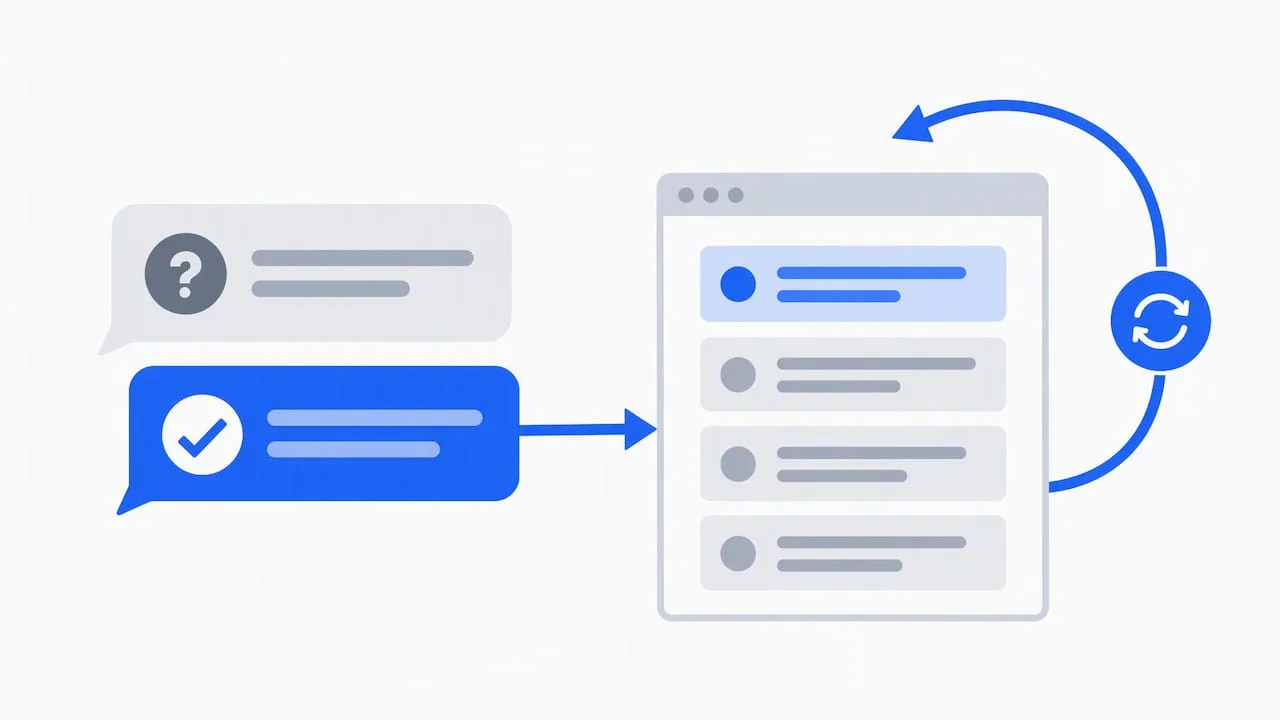
Keep answers short, factual and free of hype. One sentence of fact, one clear action, and a link to a page that backs it up.
- Hours: “We’re open during the hours listed on our website. Call us to book a visit.”
- Emergency service: “Yes, we offer emergency calls. Call us directly so we can dispatch the nearest technician.”
- Licensing: “We’re fully licensed and insured. Our license details are on our About page.”
- Payment: “We accept cards, checks and financing. Ask about options when you book.”
- Service area: “We serve the towns listed on our service area page. Enter your ZIP code to confirm.”
- Estimates: “We provide written estimates after an on-site visit. Request one on our booking page.”
Pro Tip: If a false claim appears, correct it in one calm sentence and link to the page on your site that proves it. Never repeat the false claim word for word.
Skip promotional adjectives like “best” or “top-rated.” Specific facts earn more trust.
Why contractors should prioritize GBP Q&A
Some local service searches are urgent. Someone with a leaking pipe or a dead furnace may want a fast, trustworthy answer, and a clear Q&A area can help them find your phone number. I treat it as the front edge of a lead system: answers that send high-intent people to a booking page, and a missed-call text-back behind that for the calls you cannot pick up. Because Google changes features, recheck the workflow regularly.
— Tyson
How we can help you set up and manage GBP Q&A
If you would rather hand this checklist to a team, we do that work for contractors across Rhode Island and Massachusetts. We turn your profile into a steady source of booked jobs, with the monitoring and lead routing that keep it that way.
- Local SEO & Google Business Profile: We set up, optimize and monitor your profile, including Q&A where it is available.
- Websites that book jobs: We build pages that turn a Q&A click into a scheduled visit.
- Missed-call text-back & CRM: We follow up on calls you miss.
- Reviews that keep coming: We automate review requests that strengthen your profile.
Review our Local SEO & Google Business Profile service or see our plans and pricing, then request a setup consultation and we will walk through your live listing with you.
FAQ
Is Google Business Profile Q&A available for every business?
No. Google describes Q&A as region-dependent, so check your own listing on Maps and in Search, on desktop and mobile, before you plan around it.
How do I report a bad question or answer on my listing?
Open the question or answer in Google Maps, tap the three-dot More menu and choose the report option. Use it for spam, abuse or policy violations instead of posting a competing answer.
Can I manage GBP Q&A with software?
Sometimes. The Q&A API supports creating, listing, updating and deleting questions and answers, but it needs to be enabled and access may require a request. Always keep a manual fallback.
How often should I check my Q&A?
Check it regularly, with the frequency based on your call volume. Name one person responsible, log each action, and answer factual questions where the interface allows it.