
Google Business Profile call history no longer exists. Google wound down the feature on July 31, 2024, so the Calls tab that once listed recent and missed calls is gone, and you cannot get it back. Your profile still sends you calls. What changed is that Google no longer keeps a log of them for you. If you run a plumbing, HVAC, electrical or roofing company, you need a different way to see who called, who you missed and which calls became jobs.
This guide covers what call history was, what Google offers today, and a practical setup for contractors who cannot afford to lose a single emergency call.
TL;DR
- Google ended Business Profile call history on July 31, 2024. Past records could be downloaded through Takeout only until August 30, 2024.
- The Call button on your profile now dials the phone number you supplied. Google no longer forwards or logs those calls.
- The Performance report counts call button clicks, not answered calls or booked jobs.
- To track real calls, use your own phone system or call tracking, plus missed-call text-back so a lost call still turns into a conversation.
- Tie every call to a source and an outcome in a CRM. A call count alone does not tell you what the profile is worth.
Table of Contents
- What GBP call history was
- When Google ended it
- What you can still see in Google
- Why missed calls cost contractors more than most businesses
- A setup that replaces call history and does more
- How we approach this at Coastal Connect
- Where our plans fit
- Does Google ever call your business?
- Common mistakes after call history disappeared
- FAQ
- Sources
What GBP call history was
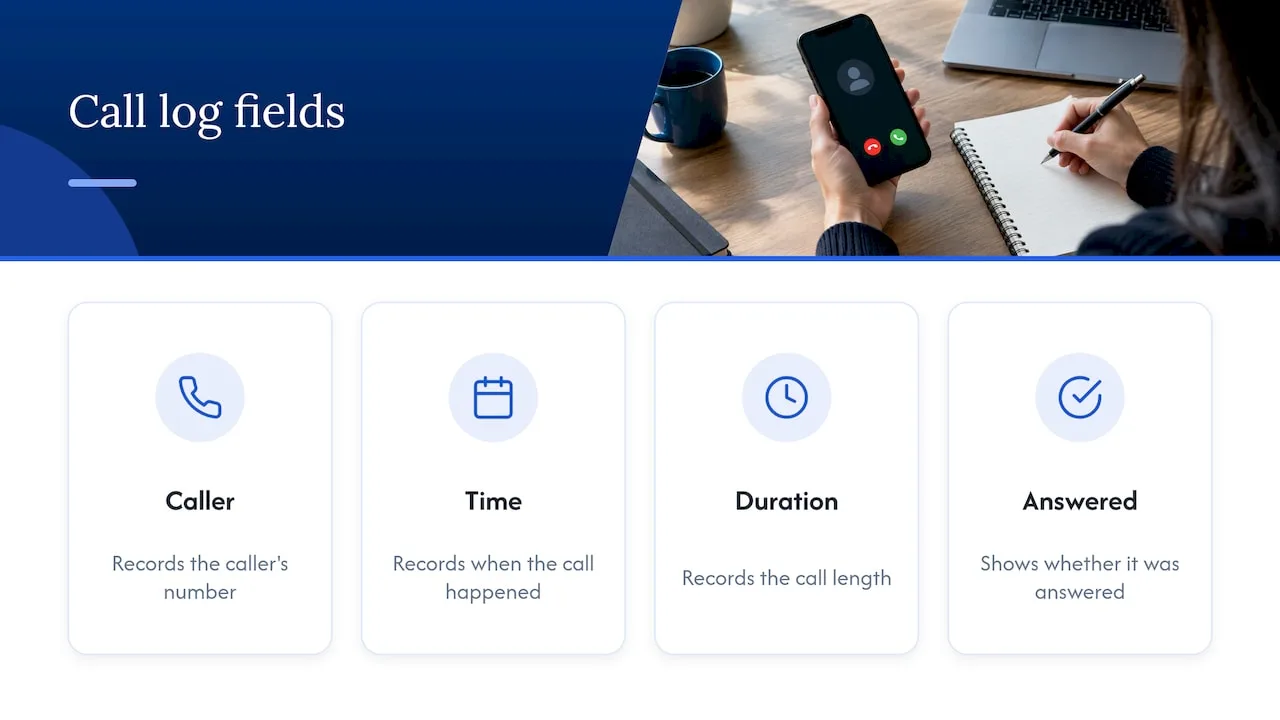
Call history was an experimental feature for a select group of businesses in the US and Canada. When a customer tapped the Call button on your profile in Search or Maps, the call showed up in a Calls tab. According to Google’s help page for the feature, the tab listed recent and missed calls and kept them for 45 days. It covered calls started from the profile only, and it did not track texts.
Google announced the November 2021 launch for verified profiles in the US and Canada, pitching it as a way to see how inbound calls performed.
What the screen showed, as Search Engine Land described it in 2021:
- Caller name and phone number
- Call date and time
- Whether the call was answered or missed
- Totals of answered and missed calls for the period
- Buttons to call back, copy the number or open that caller’s history
It never recorded or transcribed calls. Early coverage of the test in 2020 said it gave a list of numbers with times and dates and nothing more.
It also worked through forwarding. Google routed the call through its own number and played an automated message, which is why it could see whether you picked up. That detail matters later, because it is exactly what Google removed.
When Google ended it
Google’s notice says call history and chat in Business Profile were removed on July 31, 2024 for all users. Two practical consequences follow from Google’s own explanation:
- The profile no longer provides call-history records.
- The forwarding number Google used was replaced by the phone number you gave Google.
So if you still see articles or forum threads telling you to open the Calls tab, they describe a screen that is gone. The 2022 community answer saying Google does not record calls is also consistent with the old design: it kept a log, not audio.
If you never exported your old records, they are not recoverable. Google said Takeout downloads of past records were only available through August 30, 2024.
What you can still see in Google
There is no full call log anymore, but Google still gives you some signal. It helps to know exactly how much, and where it stops.
The Performance report
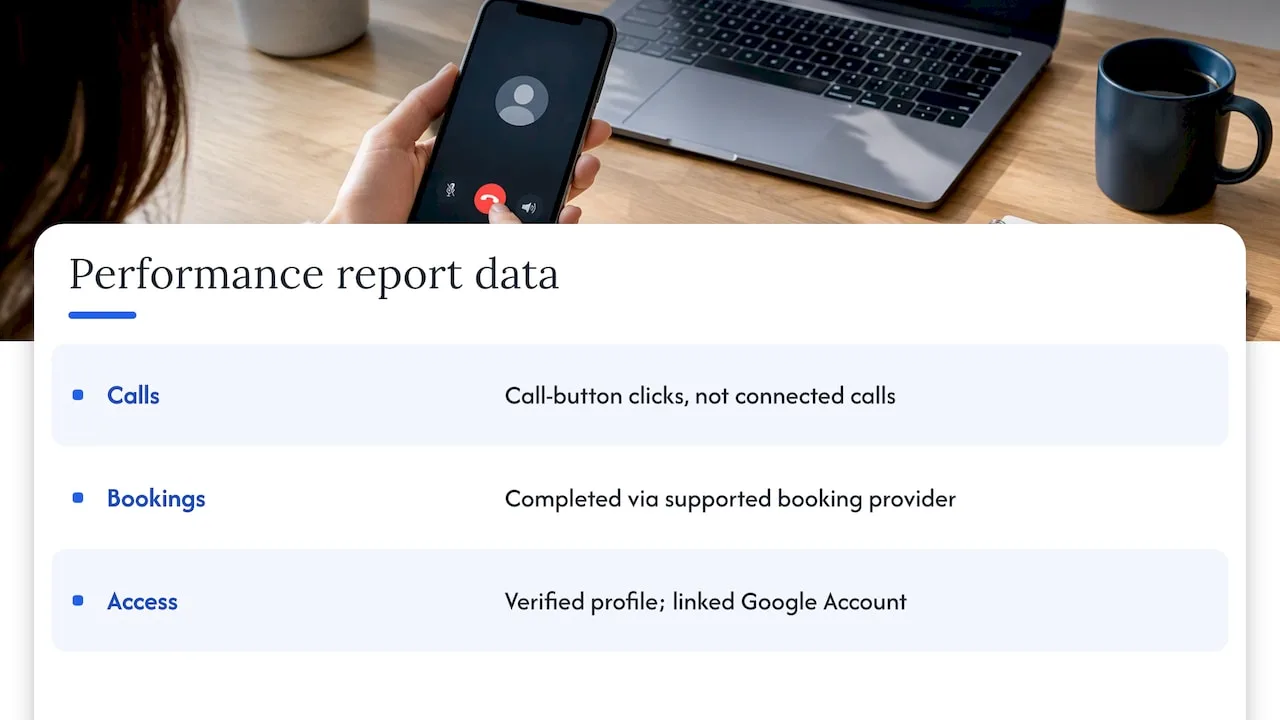
Google’s Performance report defines “Calls” as the number of times a customer clicked the call button on your profile. That is a click, not a connected call. It does not say the call was answered, that the caller was a real prospect or that a job was booked. Someone can tap the button, change their mind and hang up, and it still counts.
The same report also has a Bookings metric, but it counts completed bookings only when they are managed through a supported booking provider. Most contractors book by phone or through their own scheduling software, so that number will not tell you how many jobs the profile produced.
To see performance data you need a verified profile, and you must be signed in to the Google Account tied to it.
Business Calls API
For eligible locations, Google’s Business Calls API documents aggregate answered and missed call counts, with hourly and weekday breakdowns. Requests need an Owner, Co-owner or Manager role on the location. You can ask for a chosen time range, and the documentation says data goes back six months.
This is aggregate data. It will tell you that Tuesday mornings are heavy on missed calls. It will not give you a list of names and numbers to call back. Using it also takes a developer or a tool built on the API, which is not something most owners will set up themselves.
Google Analytics
Google says Business Profile performance data, including calls, website clicks, directions, messages and bookings, can be shared with a linked Google Analytics property. That puts profile activity beside website traffic. It is useful for trends. It still stops at clicks.
A quick comparison
| Source | Shows | Does not show |
|---|---|---|
| Old call history (ended 2024) | Caller number, time, answered or missed | Recordings, texts, job outcome |
| Performance report | Call button clicks over time | Whether the call connected or booked |
| Business Calls API | Aggregate answered and missed counts by hour and weekday | Caller numbers, outcomes |
| Your own phone system or CRM | Every call, caller, source, outcome | Nothing, if set up right |
The last row is the one that replaces call history. Google will not do it for you anymore.
Why missed calls cost contractors more than most businesses
A homeowner with a burst pipe or a dead furnace does not leave a voicemail and wait. They tap the next listing. The old call history screen was valuable mostly because it showed you the missed ones, and a missed call from the profile is a lead that went to a competitor in the same search.
That is the gap to close now. The question is no longer “where is my call log in Google?” but “what happens in the 60 seconds after my phone rings and I cannot answer?” Crews on a roof, in a crawlspace or under a sink are not at the phone, and a phone that rings out is the most expensive leak in a trades business.
A setup that replaces call history and does more
Here is a workable sequence for a contractor in Rhode Island or Massachusetts. Do it in order, because each step feeds the next.
1. Confirm the number on your profile
Since Google now dials the number you supplied, check that the primary number is the line you actually want customers to reach. Is it a cell that rolls to voicemail, an office line nobody covers after 4 p.m., or a number that forwards to your answering setup? Fix this before anything else. If you add a tracking number, keep your main number as an additional number so your listing stays consistent with your website and other directories.
2. Log every call somewhere you control
Use a business phone system or call tracking number that records the caller number, time, duration and whether it was answered. Many business phone services include this. What matters is that the log lives with you, not with a platform that can retire the feature, as Google just did.
3. Label the source
A call from your profile, a call from your website and a call from a truck lettering are different leads with different costs. Give each its own tracking number or tag it in your CRM. Then the Performance report’s click count can be compared with real calls from the same source. If the report says 80 call clicks and your log shows 45 profile calls, that gap tells you something about how many taps actually connect.
4. Close the gap on missed calls
When a call goes unanswered, an automatic text to the caller within a minute keeps the lead alive: “Sorry we missed you, what do you need help with?” It turns a dead end into a thread you can answer from the job site. For after-hours and overflow, an AI voice agent can pick up, ask the right questions and book or flag the job.
5. Record the outcome
A call is not a result. Each call should end in one of a few states in your CRM: booked, quoted, not a fit, spam, no answer. After a month you can say how many profile calls became booked jobs and what they were worth. Without that step you are counting rings.
6. Review weekly
Look at missed calls by day and hour, the same thing the Business Calls API summarizes. If you consistently miss calls between noon and 2 p.m., you have found a staffing or routing fix that costs less than any ad.
How we approach this at Coastal Connect
We built our work around this exact problem for contractors in Rhode Island and Massachusetts, so here is our point of view.
Most owners ask us about call history because they want proof the profile is working. We understand that, but a log is only half the answer. The profile is a storefront. Ranking in the map pack gets the phone to ring, and what happens next decides whether you get paid. We see the same pattern in the trades: the business that answers fast, follows up the same hour and asks every happy customer for a review wins the next search against a competitor with similar skill.
So we treat the profile, the phone and the follow-up as one system. Local SEO and Google Business Profile work gets you found. Missed-call text-back and a CRM make sure a missed call does not end the conversation and give you the log Google stopped providing. An AI voice agent covers the calls your crew cannot take. And a review request after each finished job feeds the profile that brings the next call.
The one thing we would tell any owner: stop judging your profile by clicks. Judge it by booked jobs from calls you can name.
— Tyson
Where our plans fit
If you would rather not stitch this together yourself, our pricing page lists three monthly plans: Foundation at $597 per month, Growth at $1,297 per month and Scale at $2,497 per month. Add-ons include an AI employee on Growth at $199 per month and extra locations from $299 per month. The page shows what each plan covers, so you can match it to the number of crews, locations and calls you handle.
Does Google ever call your business?
Yes, but not to sell you anything. Google says it may occasionally call or text a Business Profile number to confirm business details or help customers. Those automated calls should identify Google and state their purpose. Google also says it will never ask for payment, credit card information or account passwords.
That last point is worth passing to your office staff. Google states it does not make unsolicited automated sales calls, so a caller claiming to be Google and pushing you to pay to keep your listing is not legitimate. Hang up, and manage the profile only by signing in to your Google account yourself.
Common mistakes after call history disappeared
- Treating call clicks as calls. The report counts taps. Compare it against your own log.
- Assuming the data is hidden somewhere. Only aggregate data remains. Individual caller records are gone.
- Swapping the profile number for a tracking number without care. Keep your main number listed as well so your business details stay consistent across the web.
- Tracking calls but not outcomes. A tidy call count with no booked-job column cannot justify any marketing spend.
- Ignoring texts. The old tool never tracked them, and customers do text. Your CRM should capture both.
FAQ
Can I still see my Google Business Profile call history?
No. Google removed call history from Business Profile on July 31, 2024, and the Calls tab is no longer available. Takeout downloads of old records ended on August 30, 2024. Use your own phone system or CRM for a call-by-call record.
How do I see how many calls my Google profile gets now?
Open the Performance report in your verified profile to see call button clicks over time. That is a count of taps, not connected calls. For answered and missed totals by hour and weekday, Google’s Business Calls API offers aggregate numbers for eligible locations, and a tracking number on your profile gives you a true call log.
Did Google call history record my calls?
No. It listed caller numbers, call times and dates, and whether each call was answered or missed. It did not record audio or transcribe conversations, and it did not track texts.
Why would Google call my business?
Google may call or text a profile number to confirm details or help a customer, for example with scheduling or wait times, in most US states. Legitimate calls identify Google and their purpose. Google never asks for payments, card numbers or passwords, so treat any such request as a scam.
Sources
- Call history in Google Business Profile
- Changes to Google Business Profile call history
- Changes to Google Business Profile chat and call history
- Understand your Business Profile performance and insights
- Connect your Business Profile to Google Analytics
- Business Calls API package reference
- Business Calls insights list method
- About automated calls and texts from Google to your business
- Help protect against fraudulent calls
- Google call history report begins to show data (Search Engine Land, 2021)
- Google testing new call history feature (Search Engine Land, 2020)
- Foster meaningful conversations with customers on Google