CRM Data Cleanup That Sticks: A RevOps Playbook for Quarterly Hygiene
Coastal Connect
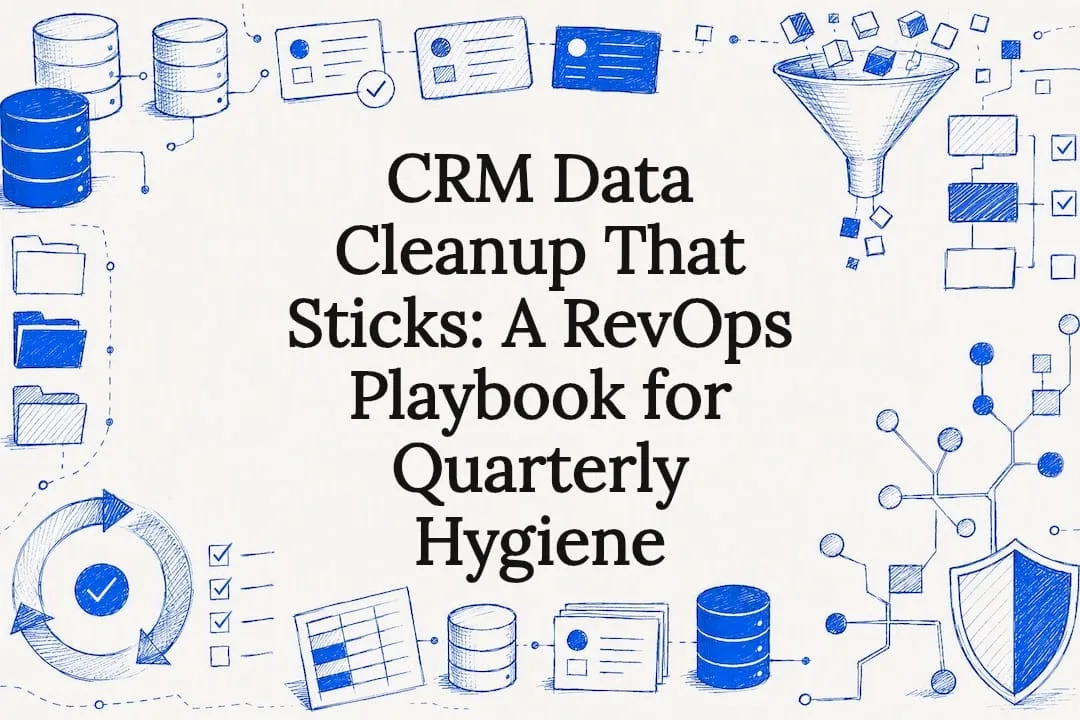
Fix your CRM data through a four-part cycle: audit the database to find where quality is breaking down, run a prioritized cleanup on duplicates and stale records, lock in upstream validation so bad data stops entering, and put a recurring hygiene cadence on the calendar. Skip any one of those pillars and the fixes decay within months. The payoff for doing it right shows up fast in cleaner routing, sharper attribution, and reps who trust their pipeline again.
TL;DR:
- Continuous CRM hygiene relies on regular auditing, cleaning, enriching, governing, and maintaining to prevent data decay and ensure data quality persists over time.
- Prioritizing records with active deals and high-value accounts during cleanup maximizes the impact on revenue and operational efficiency.
- Standardizing formats, validating contacts before enrichment, and enforcing governance rules at all entry points reduce the risk of data corruption and redundancy.
- Most high-volume tasks such as duplicate detection, formatting, and enrichment should be automated, while ambiguous cases require human review to avoid propagating errors.
- Running audits and hygiene checks quarterly with weekly and monthly reviews helps keep the database healthy and supports better attribution, routing, and rep trust.
Table of Contents
- What Is CRM Data Cleanup, Really?
- How Do You Run a Baseline CRM Audit?
- Step-By-Step: Dedupe, Standardize, Validate, Enrich, Archive
- How Do You Stop the Database From Getting Dirty Again?
- What Should You Automate, and What Needs a Human?
- How Often Should You Run CRM Hygiene Checks?
- A Practitioner Checklist for CRM Data Cleanup
- When Should You Bring in Outside Help?
- A Managed Setup Option Worth Considering
- Sources
- FAQ
What Is CRM Data Cleanup, Really?
Most teams treat CRM data cleanup as a one-time scrub: dedupe the contacts, fix a few typos, call it done. That mindset is the problem, not the fix. Industry guidance now frames this as a shift from one-time data cleansing to continuous CRM hygiene, where governance and validation at the point of entry matter more than any single cleanup sprint.
Clean CRM data isn’t a project with an end date. It’s an operating discipline, closer to bookkeeping than spring cleaning. Here’s the five-stage framework that holds up over time.
- Audit. Pull completeness, duplicate rate, and staleness numbers before touching anything. You can’t fix what you haven’t measured.
- Clean. Deduplicate, standardize formats, and validate contact fields using the priorities the audit surfaced.
- Enrich. Fill gaps with third-party data only after the records are clean. Enriching messy data just multiplies the mess.
- Govern. Write down who owns the database, who approves merge exceptions, and what “good data” means for your org.
- Maintain. Schedule recurring checks so the database never drifts back to where it started.
The order matters more than most teams realize. Cleaning before enrichment isn’t just tidier. It directly improves enrichment match rates, since cleaning first prevents wasted enrichment credits on duplicate or malformed records that would have failed to match anyway.
Role ownership makes or breaks this cycle. RevOps or a designated data steward should own the audit and governance stages, since they see the database at the system level. Sales reps handle frontline flags: they’re the ones who notice a contact bounced three emails or a deal stalled because the account record was duplicated across two owners. Automation carries the volume work: matching, formatting, and enrichment lookups at a scale no human should be doing manually. Split it this way and nobody is stuck babysitting a spreadsheet that was never their job in the first place.
How Do You Run a Baseline CRM Audit?
Before you fix anything, you need numbers. Practical audit queries include percent completeness by required field, duplicate counts grouped by email or domain, distribution of last activity dates, and bounce rate across the last 90 and 180 days. Run these four and you already know where the database is actually broken, versus where it just feels broken.
Segment the results by source and record type. Leads imported from a trade show list behave very differently from leads captured through a web form, and contacts synced from a marketing automation tool decay differently than manually entered ones. Isolating the source usually reveals the real root cause. A spike in incomplete phone fields, for instance, often traces back to one integration that never mapped the field correctly rather than to sloppy reps across the board.
A few things worth checking first:
- Completeness rate on required fields (email, phone, company, lifecycle stage)
- Duplicate rate by email domain and by fuzzy name match
- Last activity date distribution, grouped into 30/90/180 day buckets
- Bounce and hard-fail rate on email sends over the last two quarters
- Record count by source integration, to isolate which feed is dirtiest
Data point worth knowing: CRM records decay at roughly 2.1% per month, or about 22.5% annually, in typical B2B databases, with individual months spiking as high as 3.6% during periods of high job turnover. A database you cleaned in January is already meaningfully stale by June if nothing else changes.
Once you have the numbers, prioritize by business impact, not by what’s easiest to fix. Records tied to active pipeline deals go first, because a bad email or missing phone number there directly threatens revenue this quarter. High-value accounts and your most active outbound segments come next. Cold, inactive records at the bottom of the funnel can wait, or be candidates for archival instead of cleanup.
Step-By-Step: Dedupe, Standardize, Validate, Enrich, Archive
This is the actual mechanical work, and the sequence below is deliberate. Do these steps out of order and you’ll waste enrichment spend on records you’re about to merge or delete.
- Deduplicate using multiple signals. Don’t rely on exact email match alone. Cross-reference name, company domain, and phone number to catch near-duplicates that a single-field match misses. When two records represent the same person, merge rather than delete: preserve the original lead source and first-touch date, but keep the most recently updated values for mutable fields like title, phone, and address. Tag every merge with an audit log noting which record IDs were absorbed, so nobody has to guess later why a contact’s history has a gap.
- Standardize formats. Normalize domains to lowercase, fix inconsistent phone formats (parentheses versus dashes versus none at all), and force picklist fields like industry or lead source into a fixed, agreed vocabulary. Free-text fields that should be dropdowns are one of the most common sources of silent data rot.
- Validate email and phone before you enrich anything. Run every contact through an email verification pass and a phone format check. This step alone catches the records that are dead weight, so you don’t pay enrichment credits trying to fill in company data for a contact whose email has been bouncing for a year.
- Enrich in a waterfall. Start with your primary enrichment vendor, and fall back to a secondary source only for records the first pass misses. An enrichment waterfall with fallback vendors improves match rates while controlling cost, instead of paying premium rates trying to force one vendor to match everything.
- Decide archive versus delete. Records with no engagement in 18 to 24 months and no active deal are candidates for archiving, not permanent deletion, unless there’s a specific compliance reason to purge them. Data privacy rules under frameworks like CCPA and GDPR generally require deleting or archiving records that lack a documented lawful basis or consent, so build that check into your archival criteria rather than treating it as an afterthought.
Pro Tip: Before you run any bulk merge or delete operation, export a full backup of the affected records. Merge tools occasionally survive the wrong field when two records conflict, and a backup turns a bad merge into a five-minute fix instead of a week of manual reconstruction.
How Do You Stop the Database From Getting Dirty Again?
Cleanup without prevention is a treadmill. You’ll be back here in six months running the same audit and finding the same problems, just with new record IDs attached. Prevention starts with defining a minimum viable record: the smallest set of fields a lead or contact needs before it’s allowed to exist in a usable state. For most B2B teams that’s full name, valid email, company, and lead source, at minimum.
From there, decide which rules are guardrails and which are gates. A guardrail nudges the user toward good data without blocking them. A gate hard-stops a bad submission. Get this balance wrong in either direction and you create a new problem:
- Use guardrails (dropdown suggestions, autofill, format hints) for fields where blocking submission would frustrate legitimate edge cases.
- Use gates (required fields, format validation, duplicate blocking) for fields where a bad value causes downstream damage, like an unformatted phone number that breaks an automated dialer integration.
- Push validation rules into every intake point, not just the CRM’s native forms: web forms, integrations, and any tool that writes records into the system need the same rules enforced.
- Document who approves exceptions to a gate, so reps aren’t quietly working around a rule because nobody told them who to ask.
Governance is what makes this durable. Someone, usually RevOps or a named data steward, needs to own the rulebook: what counts as a duplicate, who can approve a merge exception, and how new integrations get vetted before they’re allowed to write into the CRM unsupervised. Without a named owner, these rules erode the first time someone is in a hurry.
What Should You Automate, and What Needs a Human?
Automation is where CRM data cleanup either scales cleanly or quietly gets worse. The tasks worth automating are the high-volume, low-judgment ones: matching duplicate candidates, normalizing formats, running enrichment lookups, and flagging bounced emails. These are exactly the jobs a person shouldn’t be doing by hand across thousands of records.
Where it gets risky is automation acting on ambiguous cases without a human checking the result. AI and rule-based automation can accelerate cleanup at scale, but automation risks propagating bad data further and faster if the rules governing merges and overwrites aren’t tight, or if nobody reviews the exceptions the system flags as uncertain.
Large language models add a useful layer here too, particularly for pattern detection in messy free-text fields. ChatGPT and similar tools can help spot patterns and suggest normalized values, but they aren’t a substitute for deterministic validation on things like email format or phone number structure, and they shouldn’t be making final merge decisions unsupervised.
A workable split looks like this:
- Automate: duplicate detection, field standardization, enrichment lookups, bounce flagging.
- Route to human review: any merge where survivorship rules conflict, any record flagged as a possible duplicate with less than full confidence, and any bulk delete request.
- Run exception queues weekly so ambiguous cases don’t pile up silently in the background.
If you want a broader look at where automation earns its keep for smaller teams without a dedicated ops function, this rundown on practical AI tools and their return on investment covers the tradeoffs well.
Pro Tip: Set a hard rule that automation can never delete a record outright, only flag it for archival. Merges and edits can be automated with review; permanent deletion should always require a human click.
How Often Should You Run CRM Hygiene Checks?
A deep clean performed several times a year paired with lighter monthly and weekly checks is a practical default for many teams, balancing thoroughness against the operational burden of constant manual review. That’s the cadence most CRM hygiene frameworks converge on, and it holds up whether you’re running Salesforce, HubSpot, or a smaller CRM.
| Cadence | What to check | Who owns it |
|---|---|---|
| Daily | Bounce alerts, failed integration syncs | Automation, flagged to reps |
| Weekly | New duplicate candidates, exception queue review | RevOps or data steward |
| Monthly | Completeness rate by field, enrichment coverage | RevOps |
| Quarterly | Full audit: duplicate rate, decay rate, staleness, deep dedupe pass | RevOps + data steward |
Track duplicate rate, completeness rate, decay rate, bounce rate, and enrichment coverage as your standing metrics. When you need stakeholder buy-in for the time this takes, translate the numbers into dollars: poor data quality is tied to real revenue loss, with industry estimates showing many companies losing more than 10% of annual revenue to bad data feeding broken attribution, missed follow-ups, and wasted ad spend on unreachable contacts. That framing gets budget approved faster than any completeness percentage on its own.
A Practitioner Checklist for CRM Data Cleanup
Copy this into your next hygiene sprint:
- Run the four core audit queries: completeness by field, duplicate rate by domain, last activity distribution, bounce rate over 90/180 days.
- Set a duplicate rate threshold that automatically triggers a dedupe sprint, commonly set around 8% in mature RevOps teams.
- Merge using documented survivorship rules: newest value wins for mutable fields, original lead source and first-touch date always preserved.
- Standardize domains, phone formats, and picklists before running any enrichment pass.
- Archive records with no engagement in 18 to 24 months; delete only where consent or lawful basis is missing.
- Name a single governance owner, whether that’s a RevOps lead or a dedicated data steward, and document the merge-exception approval chain.
Some contractors across the trades face a similar problem: leads scattered across missed calls, form fills, and review requests, with no single clean record of who actually needs a callback. The fix looks the same at any scale: define the record you need, enforce it at intake, and clean on a schedule instead of in a panic.
When Should You Bring in Outside Help?
Once a database crosses a few thousand active records with multiple integrations feeding it, in-house cleanup starts eating more hours than it saves. A good vendor engagement should leave you with a clean backlog and a documented governance handoff, not just a one-time scrub that decays again in a quarter. Before signing anyone on, confirm they’ll map every automation touching the CRM first. Cleanup that breaks a follow-up sequence or a lead-routing rule costs more than the mess it fixed.
— Tyson
A Managed Setup Option Worth Considering
If you run a contracting business and the idea of building governance rules, merge templates, and validation logic from scratch sounds like a second job on top of your actual one, that’s the exact gap Coastalconnect fills. Coastalconnect builds CRM and automation systems specifically for plumbing, HVAC, electrical, roofing, and landscaping businesses in Rhode Island and Massachusetts, so the lead-capture hygiene is built into the system from day one instead of bolted on after the data’s already a mess.
This means required fields, duplicate checks, and follow-up automation can be configured before a single lead ever hits the pipeline, sometimes paired with inbound call handling and automated review requests to help reduce missed opportunities. If you’d rather have this handled than build it yourself, check out Coastalconnect’s setup for RI and MA contractors and see what a done-for-you version of this looks like for your trade.
Sources
FAQ
What Is CRM Data Cleanup?
CRM data cleanup is the process of finding and fixing inaccurate, duplicate, incomplete, or outdated records in a customer relationship management system, ideally as a recurring cycle rather than a one-time project.
Can ChatGPT Do Data Cleaning?
ChatGPT and similar tools can help detect patterns and suggest normalized values in messy fields, but they aren’t a full substitute for dedicated validation tools that check email format, phone structure, or duplicate matches with certainty.
What Does CRM Mean?
CRM stands for customer relationship management. It’s the system a business uses to store and manage contact records, deals, and communication history with customers and prospects.
Which Tool Is Best for CRM-Specific Data Cleaning?
There’s no single universal answer since it depends on your CRM platform and data volume, but effective setups typically combine native CRM validation rules, a dedicated deduplication tool, and an enrichment vendor run in a fallback waterfall. Coastalconnect configures this stack directly for contractor CRMs as part of its automation setup.
How Often Should You Clean Your CRM Data?
A quarterly deep clean paired with lighter weekly and monthly checks works for most teams, balancing data quality against the time cost of constant manual review.
Want this done for your business?
Get a free audit. We'll look at your site, your Google profile, and your phones, and send you a checklist of exactly what to fix.